

- Who We Are
- Who We Help

FinTech
Healthcare
-
- What We Do
Microsoft Azure Solutions
Maintenance
Strategy
Project Rescue
MVP Development
Project Types
-
- How We Work
- Resources
- Careers
Digital Wallets have a surprisingly long history: the first use of a digital payment system can be traced all the way back to 1997, when Coca Cola introduced vending machines in Helsinki that allowed consumers to buy a can via a text message.
That model is a far cry from today’s e-wallet world, where users are frequently turning to contactless and other digital payment methods to purchase everything from ride-shares to groceries and beyond. So why have digital wallets taken off? What’s driving the switch to contactless payments, and where will the trend go from here?

Benefits of a Digital Wallet
The term “digital wallet” is a catch-all term that covers both mobile wallets like Apple Pay and other form of digital payments like Venmo. They are rapidly replacing cash and even debit and credit cards.
Convenience
Cash is cumbersome, dirty, subject to damage and easily stolen. Even credit and debit cards fall prey to theft and get misplaced. A mobile or digital wallet lives on your phone, reducing clutter and risk of loss or theft.
Security
Companies like Apple and Google offer an added layer of security to digital payments that cash and credit cards can’t match. All sensitive information is fully encrypted and only accessible by biometric information, a PIN or personal password.
Data
For vendors, digital wallets offer a way to access valuable insights into their customer’s shopping habits. A vendor can see a customer’s shopping history and preferences, allowing them to target marketing more efficiently.
Top 5 Digital and Mobile Wallets

PayPal has been handling digital payments since 1998. It is one of the oldest and most used payment systems around, and can be linked to other wallets like Google Pay and Apple Pay.
In 2013 PayPal acquired Venmo, increasing their footprint in the digital payment sphere.

Probably the most used mobile wallet in the world, Google Pay is ubiquitous on Android devices and can also be used on Apple devices. Users can access Google Pay from any device by entering the account holder’s email address, making it a very convenient digital payment system.

Apple Pay doesn’t have the presence of Google Pay, because it is only available on Apple products. But Apple Pay still holds one of the top spots as one of the most used mobile wallets in the world.
Apple uses Device Primary Account Number (DPAN) technology to protect sensitive information, and the company is well known for taking customer privacy and security concerns very seriously.

Zelle payments are enabled directly through a user’s bank account. Rather than both parties needing a separate Zelle account, anyone with a bank account at a participating financial institution can use the service to send or receive money.
Unlike PayPal, Zelle charges no fees to send or receive money.

AliPay is primarily used in China, where other digital payment systems are not available. Despite that, it is still one of the most used digital payment systems worldwide, simply because so many people in China use it.
What Technologies Are Driving Digital Wallets?
The rise in the popularity of super apps like Rappi has been a huge driver for digital wallet adoption, while the development of easily-accessible APIs by many of the foremost digital payment companies has made building e-wallet apps easier.
Blockchain and cryptocurrency technologies are anticipated to drive the next stage of digital wallet evolution. Digital wallets are powered by a combination of technologies that enable secure and convenient digital transactions. Here are some key technologies driving digital wallets:
- Near Field Communication (NFC): NFC enables contactless communication between devices, allowing users to make payments by simply tapping their smartphones or cards against a compatible point-of-sale (POS) terminal.
- Secure Element (SE): Secure Element is a tamper-resistant hardware chip embedded in smartphones or smart cards. It stores sensitive information, such as payment credentials, securely.
- Tokenization: Tokenization replaces sensitive payment card information, such as credit card numbers, with unique identification symbols called tokens. These tokens are used during transactions instead of the actual card details, reducing the risk of data breaches.
- Biometric Authentication: Biometric authentication methods, such as fingerprint scanning, facial recognition, or iris scanning, add an extra layer of security to digital wallets verifying the user’s unique physical characteristics, ensuring that only authorized individuals can access and use the digital wallet.
- QR Codes: Quick Response (QR) codes are two-dimensional barcodes that can store data, including payment information. Digital wallets often utilize QR codes to facilitate payments by generating unique codes that merchants can scan to initiate transactions. This technology is widely used in peer-to-peer payment apps like Venmo and WeChat Pay.
- Encryption: Encryption is crucial for securing data transmitted between a user’s digital wallet and the recipient. Advanced encryption algorithms protect sensitive information, ensuring that it remains confidential and secure during transmission and storage.
- Mobile Applications: Mobile applications serve as the interface for digital wallets, allowing users to manage their payment methods, view transaction history, and initiate transactions. These apps provide a user-friendly experience, making it easy for individuals to access and utilize their digital wallets on smartphones and other mobile devices.
- Blockchain Technology: Blockchain, the underlying technology behind cryptocurrencies like Bitcoin, is also being leveraged in digital wallets. Blockchain-based digital wallets offer enhanced transparency, security, and immutability for transactions.
These technologies work together to provide seamless, secure, and convenient digital payment experiences, driving the adoption and advancement of digital wallets in various sectors.
What Does the Future Hold for Mobile Wallets?
The Covid-19 pandemic was largely responsible for the recent boom in contactless payment adoption, but digital wallets are not expected to go away anytime soon. By 2025, it’s anticipated that over 50% of e-commerce transaction value worldwide will be accounted for by digital wallet use.

Given that ecommerce is expected to account for almost 25% of all global consumer spending by 20256(and that number has already been exceeded by certain markets) it’s safe to assume that digital wallets use will continue to rise over the next ten years.
As AI becomes more prevalent and useful, the terms ‘deep learning’ and ‘machine learning’ are cropping up more and more, both in search and in casual conversation. Companies are finding new ways to leverage Artificial Intelligence to cut costs, increase efficiency and even write better software.
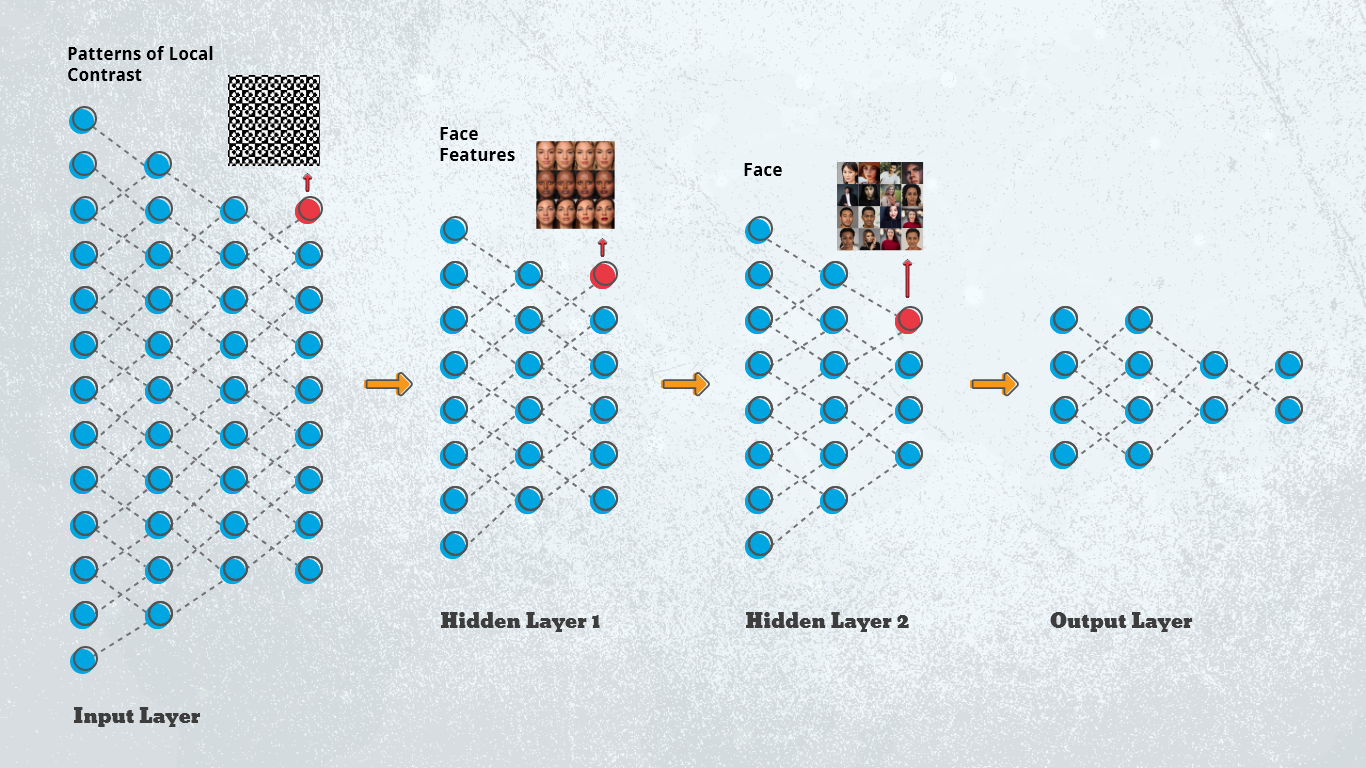
But what is deep learning vs. machine learning? How are the two terms related? Are they interchangeable, and which one should you invest in on your product roadmap?
Deep Learning vs. Machine Learning
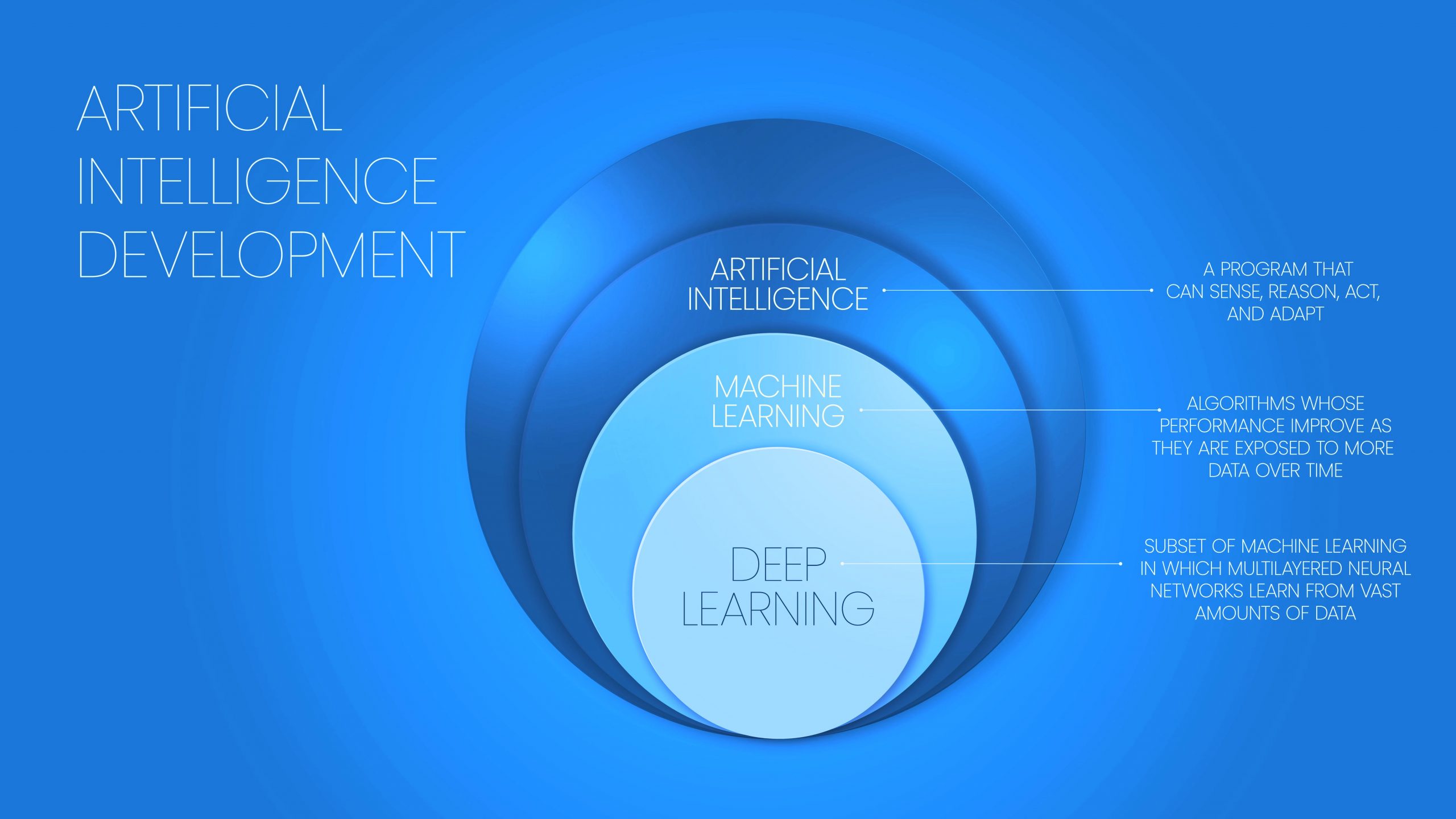
The terms ‘deep learning’ and ‘machine learning’ are sometimes used interchangeably to refer to any process that involves training a neural network to recognize patterns by parsing data, learning from that data, and then applying the learnings to new data sets.
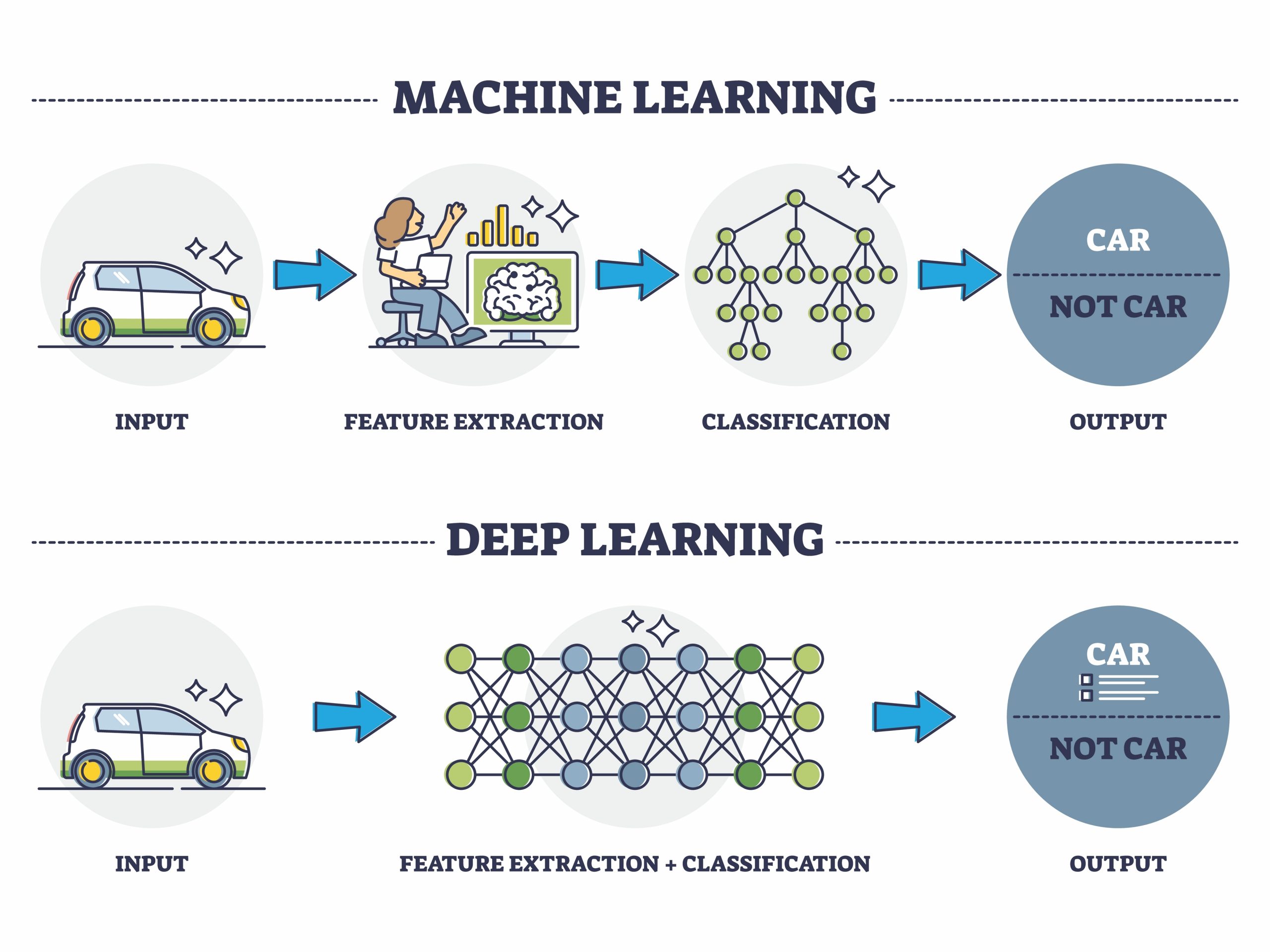
However, there is a crucial difference between deep and machine learning. Machine learning requires a domain expert to provide classifications and simple categorizations before the AI can begin to make distinctions.
Deep learning is a sub-classification of machine learning. It requires no domain expertise. The deep learning algorithms are able to extrapolate features from data sets incrementally, first identifying high-level features, then gradually building on those features to understand the next layer of classification. Therefore, deep learning is sometimes preferred over machine learning.
Why is Deep Learning Preferred over Machine Learning?
Another reason that deep learning is preferred to machine learning is that it is capable of solving a problem end-to-end, rather than needing problem statements to be broken down into discrete sections to solve first, and then combining those solutions into a cohesive whole at the end of the process.
Pros and Cons of Deep Learning for Software Development Products
The main advantages of deep learning systems are that they can function independently, without input from a domain expert, and that they can be used to solve complex problems end to end, without the need for additional algorithms to first break problems down into smaller chunks. Although the units are costly to train, once trained they significantly reduce costs by reducing the risk of inaccurate prediction and product defects.
The primary disadvantages of deep learning algorithms is that they take a long time to train (a couple of weeks vs a couple of hours for machine learning algorithms), and that they are very GPU intensive. A deep learning workstation must leverage multiple graphical processing units to support the compute-intensive deep-learning workloads.
Technologies Involved in Deep Learning
The primary algorithms that power deep learning are Convolutional Neural Networks (CNNs), Long Short Term Memory Networks (LSTMs), Recurrent Neural Networks (RNNs), Self Organizing Maps (SOMs), Deep Belief Networks (DBNs), and Autoencoders.
These technologies are used for things like image processing, object detection, time-series prediction, image captioning, natural language processing, generating fake data with which to auto-train the AI, and pharmaceutical discovery and popularity prediction.
Growth Trends
The latest deep learning approaches have greatly increased the accuracy of deep learning models, and new classes of neural networks are constantly being developed for new applications.
The Deep Learning Market is expected to grow 42% from 2020 to 2025. Factors like enhanced support in product development, process optimization, and sales optimization are driving enterprises across multiple industries to invest in deep learning.
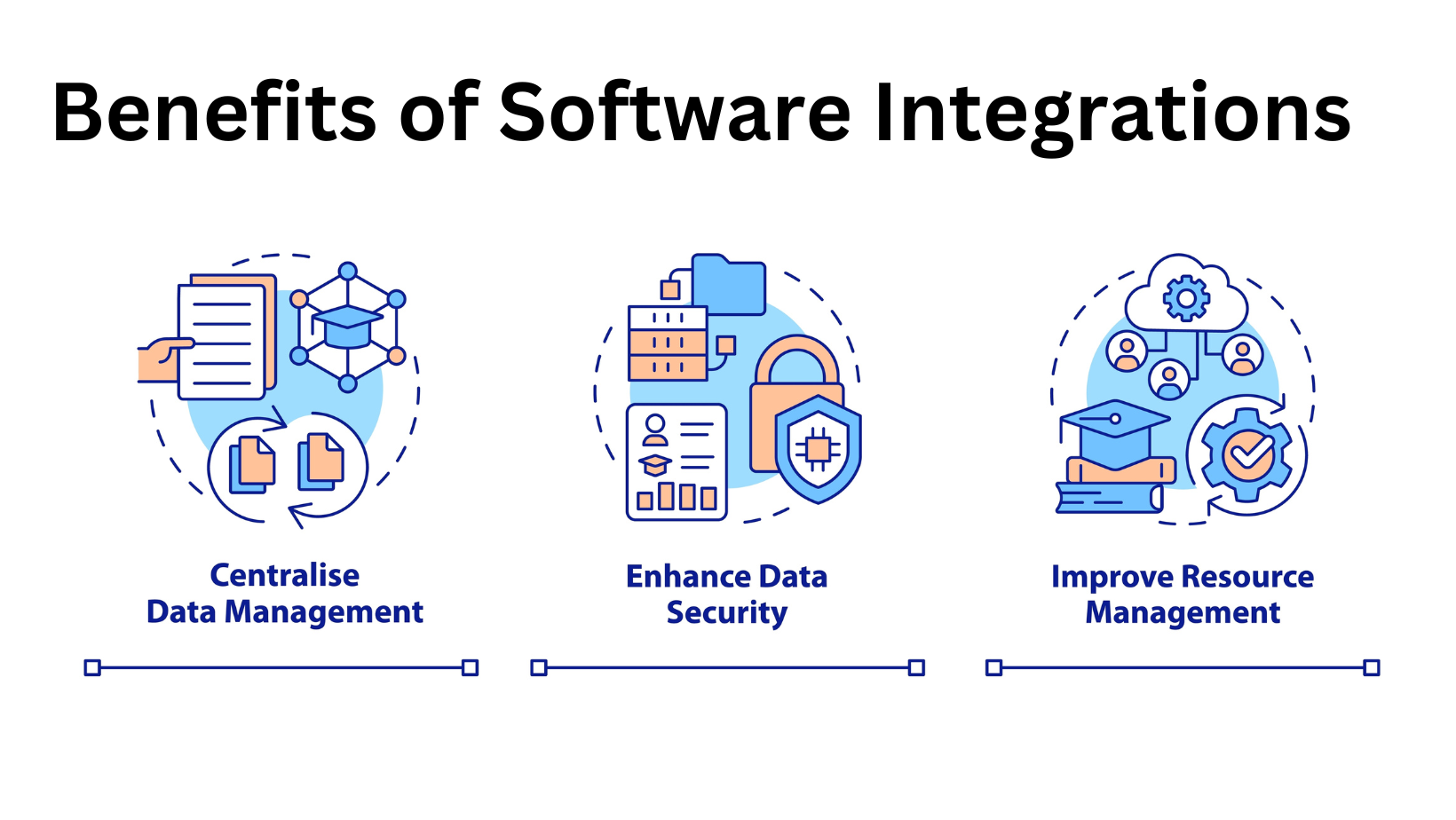
Software integration has become critical to most company’s business strategy today. As services move into the cloud, many companies rely on a multi-cloud or hybrid solution that utilizes data from several or even hundreds of different applications. Establishing seamless communication between these services is important to a business’ ability to monitor, analyze and use data.
There are multiple factors to consider when starting a project that impacts other companies and which may be of significant scale. How do you know if, and when, your company is ready to undertake a complex software integration project?
What Is Software Integration?
Software integration enables seamless communication between the various platforms, services, and systems your business relies on, be they internal or external components. A software integration project might involve updating legacy systems, dismantling core logic that has become bloated and complicated, or automating processes that were previously done manually.
Who Benefits from Software Integration?
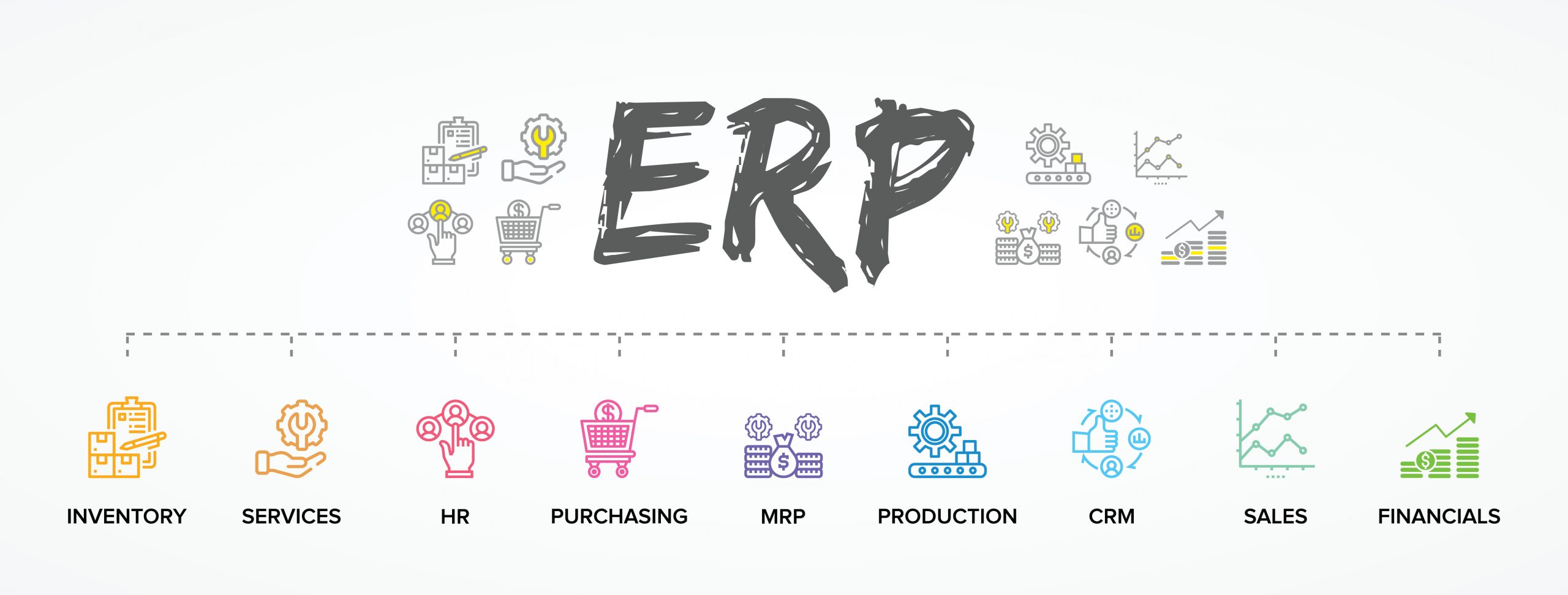
There are many cases in which an organization might benefit from software integration. We are outlining four situations here where it may make sense to take on a software integration project.
Partnering with another Business
Integrating your systems and data with another company, or between divisions with separate platforms, is the typical use case people think of when building an integration between software applications. Consider it when merging two structures within your organization or updating a single corporate structure’s primary activities or working processes.
Using Applications from multiple Vendors
You might rely on several different cloud-based solutions and have data stored across many databases within your network. Depending on which subsystems and teams within your company need access to that data, you might consider a star-integration strategy in which each of the company’s systems can access the data and functionality of any source.
Automating Processes
Another popular use case for software integration is the need to eliminate or automate specific processes that are currently done by hand. Automating repetitive manual processes is one of the easiest ways to cut costs and increase productivity within an organization.
Modernizing Legacy Systems
Legacy systems are often bloated, complex and full of bolted-on solutions accumulated over many years. Dismantling those systems and transferring the data held within them to new modern applications is daunting but will save your business countless hours of frustration in the long run.
There is a Desire to Become More Agile
Adopting an agile mindset improves your organization’s speed of delivery, security, scalability, and stability. However, an organization must integrate its software to become truly elegant. Pipelines must be constructed that allow for improved observability of applications, more straightforward automation of repeated processes like testing, and accelerated delivery through continuous integration.
In Conclusion
Successful software integration requires a significant commitment of both time and resources. Think carefully about the integration’s motivations and outline measures of success as you consider moving forward. Creating a dedicated software integration strategy team can also help you determine whether undertaking a software integration project is right for your business.
In today’s cloud-based, data-driven world, software integration has become crucial for enterprises that need to monitor operations efficiently and process data from disparate sources. Companies utilizing a multi-cloud or hybrid platform and those needing to integrate legacy systems and bring their applications up to modern standards will benefit from a comprehensive software integration strategy.
While the ultimate goal of software integration is simplicity, the process of integrating can be anything but simple. Successful integration requires a thorough understanding of the motivations behind the integration, careful planning, and rigorous risk assessment.
What Is Software Integration?
Software integration is the process by which separate systems exchange data for processing, analysis, and monitoring. These days a single business solution might be supported by many platforms that each perform a specific task. Some parts of the system may be hosted locally, while others are cloud-based.
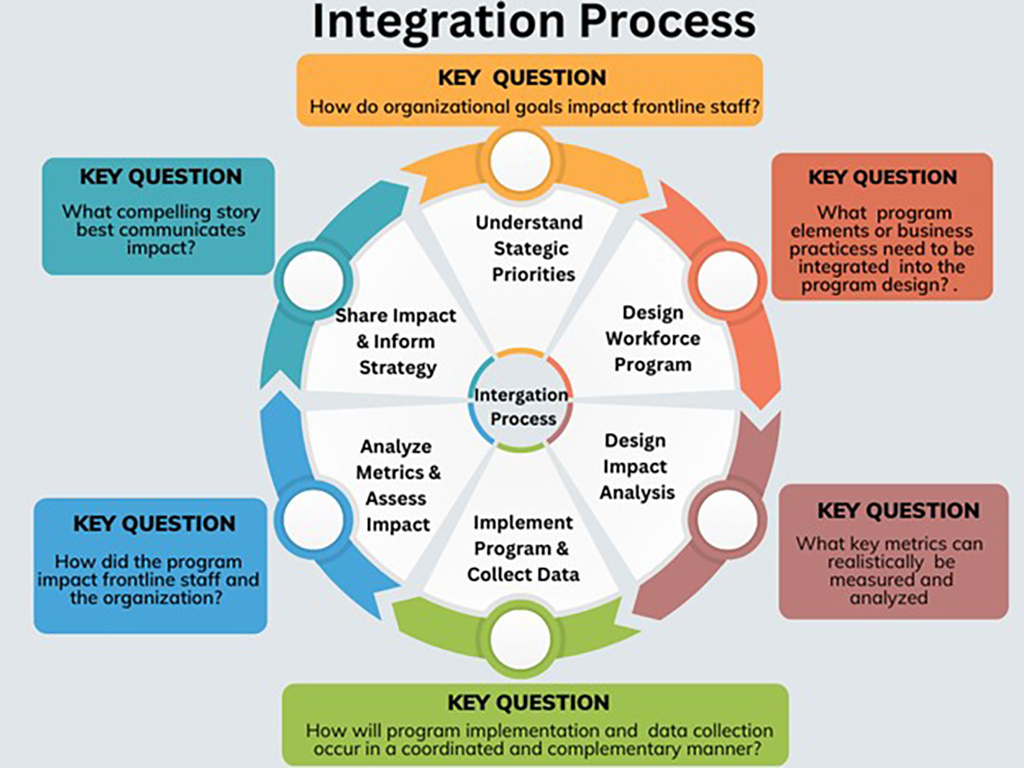
In these hybrid systems, software integration is needed to ensure faultless communication between separate applications.
5 Steps to Accelerate Software Integration
Remember that when it comes to software integration, “accelerate” does not necessarily mean “go faster.” Sometimes, it may be necessary to slow down and thoroughly evaluate input, risk, and anticipated outcomes to get to a more efficient long-term solution.
1. Identify Desired Outcomes Ahead of Time
Before beginning a software integration project, it’s important to evaluate current systems and identify success metrics. Some general measures for success are increased agility or reduced cost, but learning what success looks like for your company will mean analyzing specific pain points and understanding long-term goals.
2. Create a Dedicated Integration Team
A successful software integration requires a committed and diverse team. The team should represent all business units impacted by the project, including engineering, design, marketing and data science. A lead integration architect should head the team and be responsible for ensuring the high-level goals of the project are met.
3. Consult All Potential Stakeholders
Since software integration requires pulling data from different systems, you will need participation from the people who will use the final solution, as well as the people who maintain it and the various components. For example, IT will be responsible for maintaining firewalls and other security measures that could prevent systems from being integrated. You will want to identify all stakeholders who could be impacted and engage them at the appropriate time in the project.
Be aware of the danger of protectionism and the unwillingness to share data or relinquish control by some departments. Having a senior management sponsor on the integration team will be necessary to work through political issues to ensure the project runs smoothly.
4. Do Not Underestimate the Complexity
Integration may be an ongoing process that takes years to complete. It’s essential to identify not only the short-term effects but also the long-term results. Identify long-term as well as short-term success metrics. Allocate resources on an ongoing basis.
Software integration doesn’t necessarily mean building new systems or building connections between existing systems. Sometimes, old systems may need to be dismantled and re-integrated. This must be carefully planned to avoid negatively impacting the applications that rely on these systems.
5. Build Observability Into the Integration Pipeline
As we all know, data is king. Building observability into your integrated systems will allow your company to analyze data to identify new pain points more quickly and add incremental improvements to the system. If you are updating legacy systems, choose new technologies with observability and data analysis in mind.
Your Robust Integration Strategy
Software integration takes careful planning; but it is by no means impossible. You can craft an efficient and effective integration plan by evaluating your company’s needs and goals, creating a dedicated integration strategy team, consulting all stakeholders into the project and adequately estimating complexity.
Data is your business’s ultimate source of truth. It’s no longer enough for the data scientists and immediate stakeholders to be the only ones with access to that truth. Access to high-quality, easy-to-understand data empowers employees at all company levels to make better business decisions. Leveraging your data visualization skills can be a key differentiator for your software both in terms of building business value and market adoption.
We compared the top 5 data visualization tools across several key areas to help you make the best decision for your business.
Tableau
Tableau offers several options for building data visualization solutions, including a desktop app, a browser-based web app, and a free public option. Under the hood, Tableau uses the proprietary language VizQL to transform SQL queries into visualizations
Pros
- High-quality, interactive visualizations, including maps, charts, scatter plots, and geospatial data.
- Supports a number of sources, including Excel, PDF, CSV, Google Analytics, and Salesforce.
- Fully customizable dashboards are easy to set up.
Cons
- Lacks the machine learning capabilities of Looker bundled with BigQuery.
- Price: the primary tier is about $70 per user per month
Tableau is a feature-rich data visualization tool best suited for communicating large datasets to non-data people. It is less powerful as an exploratory or analytical tool.
Looker
Looker is a browser-based data analytics platform that uses a bespoke data modeling language—LookML—to describe dimensions, aggregates, and other data relationships in a SQL database.
Pros
- Runs in the browser (platform agnostic.)
- Querying with LookML is fast and easy, especially if you already have some facility with SQL
- Integrates with Github to manage version control and collaboration (and you don’t need to understand Git to use it.)
Cons
- Query optimization can be a headache, as there are no in-memory cubes
- Compared to Tableau or Power BI, it is somewhat feature-limited
- Price: custom pricing based on your needs. Up to $80,000 per year has been reported by some clients.
Looker is ideal for a company that has SQL-proficient data analysts on their marketing and product teams. If your company has a dedicated BI or data team, Tableau or Power BI might be more your speed.
Power BI
Microsoft Power BI is a data visualization and analytics tool that uses DAX and M under the hood. The main product is a desktop app that runs on Windows
Pros
- Seamlessly integrates with Microsoft tools, and provides APIs to connect to Google Analytics and Salesforce.
- Supports many data sources, including flat files, Azure Cloud Platform, OData, SAP HANA, and others.
- Natural language querying allows users to type questions and get data visualizations as answers.
- Price: the primary tier starts at $13 per user per month
Cons
- Power BI desktop is only compatible with Windows, though there is a Power BI app for Android and iPhone
- The interface is not as user-friendly as other options on this list.
Power BI is best-suited for companies that are already running windows, or for stakeholders who want an intuitive dashboard for creating custom data reports
Domo
Domo Business Cloud is a low-code data platform that allows you to create data visualizations and build intelligent data apps. It facilitates queries via SQL and Redshift and provides a drag and drop interface called MagicETL.
Pros
- Data extraction is faster and easier than with Tableau, and visualizations are of higher quality.
- MagicETL is powerful, intuitive, and easy to use for non-SQL savvy employees.
- The cloud-based platform easily integrates with cloud-based data warehouses like Redshift and Snowflake.
Cons
- Data connection options can be difficult to use.
- On the expensive end. Prices are not listed but have been reported to be around $83 per user per month.
Domo offers a better experience than either Tableau or Looker when it comes to data extraction and visualization, and also provides the ability to transform data into intelligent, interactive apps.
Excel
Excel Power Query allows you to import external data and then manipulate that data within an Excel spreadsheet. It is not a full-fledged data visualization tool.
Pros
- Requires no coding or knowledge of SQL.
- Supports multiple data sources.
- Can be used in tandem with Power BI to perform ETL transformation.
Cons
- On its own, it will not create beautiful data visualizations or support machine learning or natural language querying.
Excel is likely something that your business is already using. Excel Power Query can be an effective tool for ETL transformation and can be used in support of the other tools on this list.
We hope you found this list useful. Remember, ultimately, your data visualization needs will be driven by your company’s size, existing infrastructure, analytics or marketing needs, and the intended audience for your data visualizations. In addition to selecting the right tools, applying smart data visualization techniques is also a key factor for success.
These days performance is a crucial part of the user experience. Applications are complex and must often support thousands of requests simultaneously. It’s critical that an application can scale securely while still providing an exceptional user experience.
In order to keep up with the performance demands made on modern-day applications, many organizations are adopting a performance engineering approach to software development.
Performance Engineering vs Performance Testing
While performance testing is part of software performance engineering,performance engineering and performance testing are not the same.
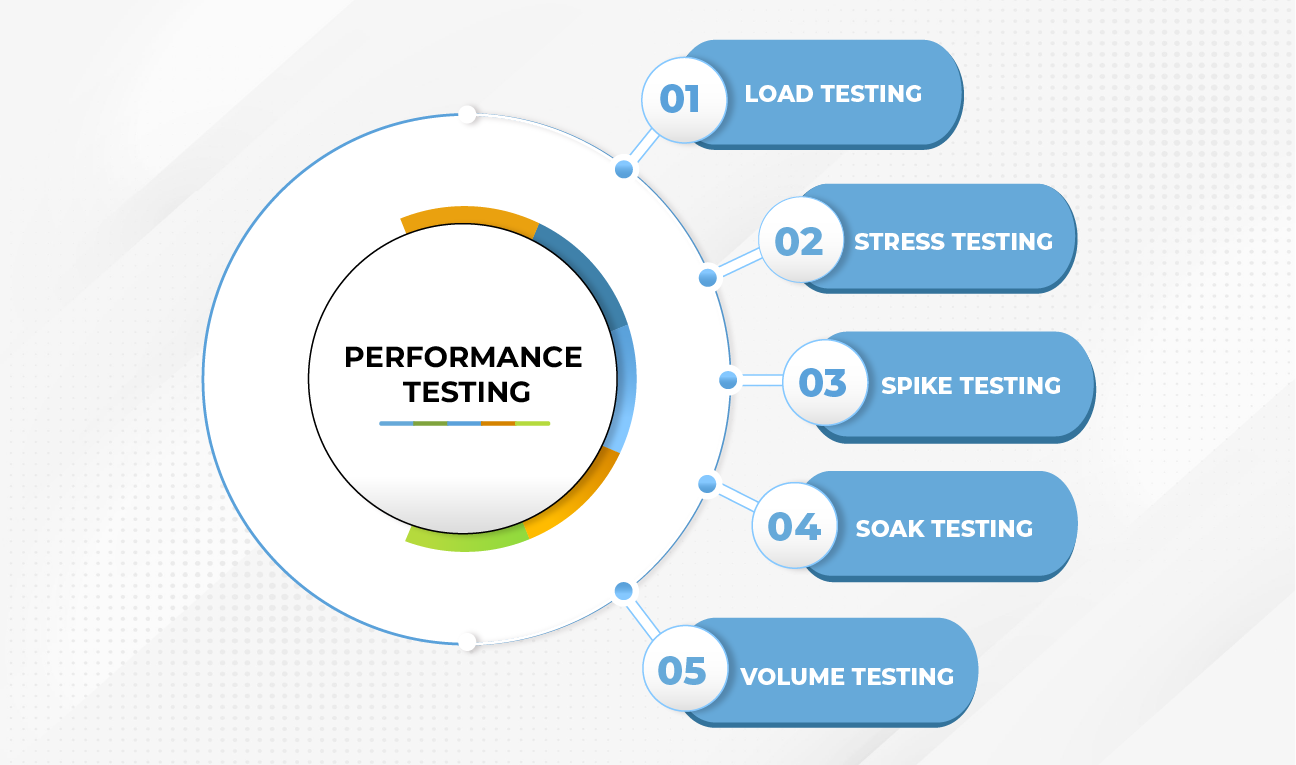
Performance testing refers to the process of determining the speed, scale, load capacity, and stability of an existing application. Traditionally, performance testing is done at the end of the build process, by QA engineers whose only job is to run tests and file bug reports.
Performance engineering, on the other hand, is a mindset that emphasizes the importance of application performance from the very beginning of the build process. Performance engineering isn’t just something for engineers to think about: designers and product managers also need to be aware of potential performance issues and work with engineers to design high performing applications.
A well articulated performance engineering strategy moves the burden of performance testing from the very end of the development cycle and makes it part of each step of the development process.
Techniques for Performance Engineering
There are four ways that teams can begin to incorporate techniques of performance engineering into their development cycles.
Establish Performance Goals
This is the most important step in a performance engineering plan and one that many teams overlook. Setting realistic expectations for performance allows engineers to write code with performance and performance testing in mind. It requires some more work up front but pays dividends down the line when engineers can quickly run existing test suites against new code.
The good news about setting performance objectives is that performance metrics are easily quantifiable and easy to measure. The most important thing to keep in mind when establishing goals is the size of your app and the number of requests you expect to receive. As the user base grows, performance goals should be re-evaluated and updated.
Assess Performance Risks
What are the possible performance issues that could arise, and how would they affect your users’ experiences? Some performance issues are severe enough to damage a company’s reputation or even lead to business failure. Others might be something that you’re willing to live with if it means getting a product into users’ hands faster.
It’s important to outline all the possible performance issues, along with the probability that they will occur, and the damage that they might cause.
Automate Performance Testing
In a performance engineering approach to development, performance testing becomes important at every step of the build cycle. Doing all of this testing by hand is a massive time commitment. Not only that, testing by hand is error-prone.
Make automated test suites a required part of your development process. Consider the potential scenarios that might cause performance issues and write tests for them.
Add new performance tests often and run them for every significant code contribution—be it a new feature or a bug fix.
Monitor Performance Metrics
Continue to monitor metrics in production with built-in instrumentation if possible. Metrics will give you an understanding of how your application performs or degrades under certain workloads. They will also help you to identify weak spots in your architecture.
Some of the key metrics to monitor for performance include uptime, average response time, peak response time, error rates, and requests per second. By mapping these metrics to known bottlenecks you can get a holistic picture of how your application performs under load.
It’s no longer enough for engineers to consider performance as an afterthought. Performance must be built in at the design level. In some cases, this might require a massive shift in how an organization approaches software development
Atlanta Tech Village (ATV) is a community of innovation powered by the 4th largest tech space in the U.S. with deep connections to Atlanta’s business and investment communities. Its purpose since its founding 10 years ago has been to create 10,000 new jobs while fueling Atlanta’s rise to a top-five tech-startup center in the U.S. It has succeeded with both of these objectives and helped create several unicorn companies and other high growth companies. Combining business mentorship, connections, investment, resources and a high-tech working space, ATV supports and inspires entrepreneurs to succeed through a community that promotes faster connections with talent, ideas, resources and capital.
Telliant Systems has joined an elite group of partners within ATV who understand what it feels like to be a start-up. Twelve years ago, Telliant was a start-up looking to grow and expand its service offering and client base in custom software development. Now, Telliant is supporting the entrepreneurs that will drive growth in Atlanta and nationally.
The growth of the Atlanta start-up community has accelerated dramatically with ATV’s opening a decade ago. “ATV’s success in and contribution to Atlanta’s growth has been nothing short of incredible,” said Seth Narayanan, CEO and co-founder of Telliant Systems. “In deciding where we would like to invest our time locally in Atlanta , ATV rose to the top of our list. We are amazed and impressed by the energy from its community and are excited to be a villager at ATV.”.
“In addition to being a sponsor of ATV, Telliant’s partnership includes providing on-premise support and mentorship of villager companies while sharing our experiences in business, strategy and technology” said Chris Karabinos, Vice President of Strategy & Growth with Telliant Systems. .”
To learn more about Atlanta Tech Village, click here. Telliant will continue to -support the start-up community- in Georgia as the state .leads the nation in digital health, digital payments, and logistics technology. .
About Telliant Systems, Inc
Telliant Systems, based in Alpharetta, GA, offers a full range of software development services in North America and across the globe. Telliant offers a diverse selection of custom software product development services, such as product strategy, software design, application development, QA/testing and application maintenance services. Telliant utilizes a variety of software platforms including Microsoft.NET (Gold Certified Microsoft Partner), and Java/2EE, utilizing a range of open source technologies such as Linux, PHP, MySQL. Expert teams are available for development of mobile, web andenterprise applications including iOS and Android development. Telliant clients benefit from working with a multi-disciplined team of professionals with a proven track record of delivering results. For more information, visit https://www.telliant.com//.
If you’ve not made the digital switch, then the world is leaving you behind. But it’s not too late to start. Here is why digital transformation is still important in 2022.
Digital transformation (DX) is essential to business success and customer experience. DX is the integration of digital technology across all areas of a business, fundamentally altering your operations and how you deliver value to your customers. A few years ago, especially pre-COVID, digital transformation was a “nice-to-have” for organizations. With the major disruptions to business activities globally, DX has become practically inevitable for any organization that wants to stay competitive and relevant.
It is now a cultural shift that challenges organizations to continuously deviate from the status quo and experiment with agile and intelligent processes characterized by artificial intelligence, machine learning and advanced analytics. Although digital processes started decades ago, we’re yet to fully unravel the endless possibilities it brings. In fact, digitally transformed organizations are projected to contribute more than half of the world’s GDP by 2023. As the years go by, more digital transformation trends are introduced that every business must implement. And now, in 2022, digital transformation is more important than ever.
The Importance of Digital Transformation in 2022
There are four pillars of digital transformation – engaging customers, empowering employees, optimizing organizational processes, and transforming products. These pillars provide a model that organizations can use to achieve measurable business growth. They also highlight the areas in a business where digital product development drives growth and improvement.
Here are some important reasons for digital transformation :
Improved Customer Experience
Digital transformation involves data-driven processes and predictive analytics that can contribute to enhancing customer experience. By integrating DX processes, your organization can generate helpful insights on customer behaviour that helps personalize their experience.
Enhanced Security and Data Privacy
With the increased cybersecurity risks for businesses, digital transformation has never been more crucial. Hackers are developing new ways to break down firewalls and bypass protocols. Organizations must employ secure agile principles that process data without third- party intervention to ensure the security and privacy of employee and customer data. DX allows organizations to build secure cyber architecture and frameworks that protect them from cyber-attacks.
Ensures Better Decision Making
Digitalization is changing the way companies use big data. Now, digital transformation technologies, especially the Internet of Things (IoT), can help businesses to mine a large amount of data from multiple streams into a data pool. With the help of advanced analytics and other AI systems, businesses can make better data-driven decisions that align with customer expectations and strategic decisions that lead to better business opportunities.
Improves Employee Productivity and Company Culture
Digital transformation is essential in helping employees streamline their core responsibilities, which increases productivity and stimulates growth. AI and automation can move departments such as HR or accounting from manual to automated processes. By improving workflows and introducing modern technology, there will be less loss of time, energy, and resources. Ultimately, this will lead to sustained growth, which can increase employee engagement, especially among the younger generation.
Increased Revenue And Profutability
Digital transformation is the fastest way to increase revenue while cutting costs at the same time. Increased employee productivity, more business opportunities, reduced operational costs, and improved customer experience contribute to revenue growth and improved bottom line.
Top Seven Digital Transformation Trends in 2022
Here are seven crucial digital transformation trends that IT and business leaders must look out for in 2022:
- Reliance on cloud computing solutions to drive innovation
- Predictive analytics and other AI-Powered business processes are projected to drive the highest growth in DX.
- Focus on data-driven business management and personalization.
- Increased acceptance of working from home (WFH) models such as fully remote or hybrid.
- Investing in employee and customer onboarding.
- Increased adoption of Blockchain technology such as NFTs and the Metaverse.
- Prioritizing security in software development life cycle.
Conclusion
From being valued at $469.8 billion in 2020, the global digital transformation market is forecast to grow to 1,009.8 billion by 2025 – at a CAGR of 16.5%. Although there are already lots of opportunities for businesses, it is clear that digital transformation is still in its early days with more room for innovation. The time to become a digitally transformed business is now.
Want to make your software stand out? Use AI. Here are 5 proven ways artificial intelligence can differentiate your SaaS product.Consumers are becoming more demanding. And there's a need to match their expectations with better products and experiences. What makes your software different? Why should customers choose your product over what others offer? Artificial intelligence and Machine Learning are changing the face of SaaS. And according to Google CEO, Sundar Pichai, implementing AI and ML can make all the difference.
Here are 5 ways that AI will make your software exceptional:
User Intent and Predictive Analytics
Your software will benefit from a wide range of user data. And with data mining, AI can understand and reveal the intent behind a user's query. AI also offers predictive analytics to improve user experience and stop churn from your software. For example, since ML can reveal intent, it'll ultimately trigger alerts when a user is disengaging.
It’s important to track users that are disengaging or they’ll end up leaving for a competitor. But as you already know, SaaS businesses find it hard to detect when a customer is disengaging. That’s because your interaction with them is primarily through your product.
Machine learning can use predictive analysis to understand how customers are using your product or if/when usage is reducing. These insights will help you take steps to engage them and prevent customer churn.
Understand Customer Behavior
Adding new features that improve your software is cool – as long as these features ease customer pain points. If they don’t, you’re merely adding features that could make your software’s UI poor, which isn’t good for user experience.
But if you don’t want to code a cluster of meaningless features, developing AI driven software helps you understand your customers better. It provides actionable insights into your customers' behavior, helping you create targeted features that solve problems.
Improved Cybersecurity
Cloud security is crucial for SaaS products. Why not? Traditional security systems are static and reactive, meaning they require human input to study threats that have already happened and update against them.
But these systems do not protect your software from emerging cybersecurity threats. Since there are new cybersecurity malware every day, AI-powered systems change your cybersecurity approach from reactive to proactive.
Artificial Intelligence Software systems can understand suspicious patterns, detect potential threats, and isolate them from your software's infrastructure.
Hyper-Personalization
Customers now expect a product that is tailored to their specific needs. But if you don’t want to add a set of new features just yet, AI offers a smarter way to deliver hyper-personalization. It will help to customize your user’s experience and shorten their dilemma by providing quick suggestions.
By combining machine learning and constant natural language processing (NLP) based on the user’s history and recent interactions, AI can optimize the user’s interface through personalized recommendations.
Enhance Customer Support and Offer Self-Service
81% of customers try to take care of issues before reaching out to support (Harvard Business Review ). The same report found that 40% of customers contact support after they’ve tried to self-serve.
This means about half of self-service options fail. But you can differentiate your product’s self-service using AI.
Using AI Driven Applications like chatbots to provide self-service will cut support ticket costs. It also gives your customers the needed freedom to learn, explore your software, and solve problems on their own.
Smart chatbots can solve simple customer support issues, which eliminates waiting time.
Conclusion
Artificial intelligence can be a game-changer for your software. It offers lots of potential for automation, personalization, and enhanced cybersecurity. And as the competition becomes fierce, it is what differentiates your software.
Remote or hybrid working has become the new normal. Here are some best practices for organizing, managing, and increasing the productivity of remote teams.While many employees enjoy working from home (WFH), it can be a particularly tasking switch for traditional team managers. But remote work is here to stay, especially if you are a software product development company. The world has become a global village, and the flexibility to work from anywhere is becoming one of the most sought-after benefits a company can offer talents.
Remote work has also been on the rise since the pandemic. WFH job searches have gone up 460% after the pandemic, and 44% of Americans now work remotely 5 times a week compared to 17% before COVID 19.
Since WFH is a relatively new experience for many team managers, here are eight tips to get the best out of remote teams:
1. Create a Remote Work Policy
Maintaining a corporate culture is one of the biggest challenges in managing remote teams. As a remote team manager, don't assume that because people know what to do in the office, they understand what is expected of them remotely, too.
Part of creating a remote work policy is setting explicit conduct rules during meetings, remote work hours, and adhering to the virtual meeting timetable. For teams working in different time zones, rotate schedules to ensure the burden isn’t falling on a few employees.
2. Establish Goals and Expectations
The traditional work environment sometimes prioritizes activity over output. When people clock in, sit at their desks, and leave at the stipulated time, then they've done a full day's work. Every company has specific team goals, but to increase WFH productivity, you should set individual goals too.
Set clear targets on what should be accomplished over a period, create milestones with specific deadlines, and schedule periodic meetings to track progress. This complements a cooperative, results-driven remote team management approach and can provide structure to virtual meetings and check-ins.
3. Provide a Standard Operating Procedure (SOP)
Don’t just set goals without telling each member how you expect them to be accomplished. Provide a well-documented Standard Operating Procedure (SOP) with guidelines on where to find these documents. Some examples of SOP software include Method Grid, ProcedureFlow, Way We Do, and ProcessKit.
4. Designate Communication Channels
If you don’t already have one, choose the communication channels to use when communicating with the remote team. Besides email, a video-conference platform and an easy-to-use messaging tool are the primary communication channels. Clearly communicate the platforms you expect your team to use, so everyone is on the same page. It’s good practice to choose which channels are ideal for which types of communication.
Also, you shouldn’t always be the one “talking to” the team. Make room for individual inputs on the project. To improve teamwork, foster communication between employees.
5. Provide the Appropriate Tools and Technology
Remote working needs the right technology that streamlines team and individual activity, especially if you are managing a remote development team. Your stack needs documentation, project management, communication, HR, and possibly, time- tracking tools. Some groups even have music streaming apps to improve social interaction and mental health.
All these tools have their advantages. For example, a project management tool is a central hub where all team members can assess what stage a project is at.
While some teams allow employees to choose their preferred tools, project management, and communication channels are non-negotiable. If individuals choose certain tools, you’ll need to determine how they’ll be paid for, the security risks, and what features you want in them.
6. Celebrate Achievements
While treating every remote team member equally is essential, you should also try to reward strong performers and team members who uphold your company’s core values. Be deliberate when highlighting extraordinary performance in individual and team meetings. Provide frequent appreciation messages to individuals and teams even for small accomplishments as these create a sense of appreciation.
7. Conduct Regular Follow-Ups
Beyond tracking progress, check in on each individual to see how they’re faring besides work. 80% of employees would quit their current position for an alternative that focuses on their mental health.
WFH can take its toll on employees. 75% of employees have struggled to work due to anxiety from the pandemic and other recent world events. This is why remote managers need to exercise patience and empathy.
Some people may adjust to remote work better than others, so it’s vital to dedicate some time to ensure everyone is doing well, motivate, and encourage them to indulge in physical activity.
8. Schedule Team Bonding Exercises
COVID regulations have been relaxed in many places. Schedule periodic social interaction meetings if you have your remote team in the same city.
Another alternative is scheduling wellness activities, e.g., online group workouts with a virtual fitness challenge such as the daily steps, virtual games, group therapy and life coaching, and mental health workshops. These bonding activities will improve health and wellness, teamwork, and productivity.
Conclusion
While the transition from office-based work to WFH can be challenging for a remote team manager, these best practices can improve your team’s productivity and maintain the company culture.