

- Who We Are
- Who We Help

FinTech
Healthcare
-
- What We Do
Microsoft Azure Solutions
Maintenance
Strategy
Project Rescue
MVP Development
Project Types
-
- How We Work
- Resources
- Careers


In the rapidly advancing field of artificial intelligence, understanding the distinctions and applications of supervised vs unsupervised machine learning is essential for any organization aiming to leverage AI effectively. Understanding the difference between supervised vs unsupervised machine learning is critical to drive innovation and efficiency.
What is Machine Learning?
Machine learning is the process by which computers use data to learn how to do tasks that require human-level intelligence. Machine learning is a branch of AI that uses algorithms to learn from data and make predictions. Machine learning is becoming increasingly popular in software development services such as software testing, maintenance, app development, and UI/UX design, as it automates the entire development process. There are two primary ways in which machine learning is administered: supervised machine learning vs. unsupervised.
In this article we’ll look at the differences between supervised and unsupervised machine learning, when one might be beneficial over the other, and which might be best for your business.
What is the Significance of Machine Learning Technology to Business?
There are many ways in which artificial intelligence is already influencing how the behaves. From entertainment companies to consumers to coaches and the players themselves, there are a range of applications that are transforming the market.
- Predictive analytics driven by machine learning can anticipate customer behaviors and market trends, enabling proactive decision-making.
- Machine learning can improve supply chain management by forecasting inventory needs and identifying potential disruptions.
- In human resources, AI-driven tools can expedite the recruitment process by instantly analyzing large volumes of applications to find the best candidates.
- Integrating machine learning into business processes boosts operational efficiency and provides a significant competitive edge through smarter, data-driven decision-making.
Machine learning in general can be applied in a number of ways to existing businesses. Chatbots can take on customer support roles or lead new customers through sales funnels. AI-powered recommendation engines can help your existing customers connect more deeply with your products. AI can also supercharge analytics, security, and marketing efforts.
What is Supervised and Unsupervised Machine Learning?
Supervised Machine Learning
Supervised machine learning involves a human “teacher” providing the computer with pre-labeled data and a set of instructions to achieve a desired outcome. For example, training a computer to recognize pictures of cats and dogs requires a human to input images of cats and dogs that have been labeled as such. The human will usually also provide some kind of instruction or expected outcome.
Unsupervised Machine Learning
In unsupervised learning, the data given to the machine is not labeled, and no expected outcome or set of instructions is provided. The machine processes the raw data to look for patterns or inconsistencies. For example, if a company had a lot of demographic data about its customers and wanted to better understand trends or key patterns in that data, an unsupervised machine learning algorithm could be used.
Differences between Supervised and Unsupervised Machine Learning
The key difference between supervised and unsupervised learning is the human involvement required to teach the computer how to learn. Beyond that, there are a few nuances.
Results vs Insights
Supervised learning is more geared toward those seeking concrete results from their data, while unsupervised learning can give you insights into the data but no results, necessarily.
Complexity
Unsupervised learning typically has a higher level of complexity. Model creation for supervised learning methods is fairly straightforward and can be achieved with tools like Python and R. Unsupervised learning, on the other hand, requires massive computational power to work with unlabeled datasets.
Types of Supervised vs. Unsupervised Machine Learning
There are two primary types of supervised learning, and three types for unsupervised learning. Let’s take a look at them now.

Supervised Learning
Classification
Classification uses algorithms to classify data into different segments. An algorithm that rejects spam from an inbox or allows you to block someone on social media is an example of this.
Regression
Regression uses supervised algorithms to measure the relationship between two variables and make cause-effect predictions based on the data. An algorithm that predicts projected advertising revenue, for example, is a regression problem.
Unsupervised Learning
Clustering
Clustering involves segmenting unlabeled data along discovered patterns. A business might use clustering to segment their user base along certain demographic differences, for example.
Association
Association is useful in determining the relationships of variables within a dataset. This method is primarily used by recommendation engines: if 100 customers purchased one item and also purchased an additional item, the algorithm can recommend the second item to new buyers based on its association to the first.
Dimensionality Reduction
If a dataset has an unusually high set of features, dimensionality reduction can be used to reduce the number of features into a more manageable amount without compromising the integrity of the data. This technique is often used before processing data.
How to Choose the Right Machine Learning Approach for your Business?
The way you implement machine learning into your software or product will depend on what you hope to gain from the implementation. If you need to evaluate trends in demographic data, build a recommendation engine, or better understand your users, you may lean toward unsupervised learning to handle those tasks. On the other hand, if you have concrete, specific tasks that you need a computer to achieve by analyzing data—such as building image recognition software or self-driving automobiles, supervised learning algorithms will be more beneficial.
Supply chain management is being completely revolutionized by advances in IoT (Internet of Things) technology. IoT is an amazing way to monitor supply chain activity, as it allows businesses to gather real-time data on a level not previously attainable. Sensors and actuators allow businesses to gather deep insights into the state of their products and resources at every level of the chain.
In this article, we’ll talk about the power of IoT integration in supply chain management, the impact of IoT on the supply chain, examples of how companies are already implementing IoT-based solutions for supply chain management, and some potential challenges involved in utilizing IoT in this way.
What is the IOT?
IoT (the Internet of Things) is a network of physical devices that are imbued with data-collecting measures. Typically, data is obtained via sensors: temperature, light, motion, humidity, etc., and transferred to the network via software like Bluetooth or WiFi. IoT allows everyday items and devices to be turned into “smart” devices that can gather data and improve our lives.
Some great examples of the Internet of Things in action are smart appliances, healthcare devices for monitoring patient biometrics, precision farming tools, automated industrial tools, and GPS devices that track the location of delivery trucks.
What is the impact of using IoT in the supply chain?
When IoT is incorporated into the supply chain, it allows businesses to more effectively track what is happening at each stage of a product’s development. It facilitates vertical collaboration by providing real-time data sharing and analytics and improves the transparency of the supply chain, enhancing the efficiency of supply chain software development.
IoT also helps supply chains to become less wasteful and better utilize resources by allowing for more accurate risk-assessment and predictive maintenance. The state of not just resources and products, but the tools required to build them and the locations that house them can be continuously monitored.
Here are a few ways in which Internet of Things (IoT) impacts the supply chain.
Sensors and monitors allow companies to track assets like delivery vehicles and storage facilities, leading to increased efficiency, better security, and improved visibility.
- Inventory Management: Devices in storage facilities also allow businesses to track the state and quality of their inventory, improving fulfillment efficiency and reducing stocking issues.
- Environmental Monitoring: Temperature, humidity and other environmental conditions can be monitored to ensure product quality and allow companies to respond quickly to disasters like floods and fires.
- Automation: Automated IoT devices improve warehouse efficiency by managing tasks that human employees may find difficult—lifting heavy items, doing repetitive tasks for extended periods, etc.
Examples of using IOT in supply chain management
Here are some of the ways companies are already utilizing Internet of Things (IoT) in their supply chains.
Automotive
- Track location, speed, direction of delivery vehicles
- Monitor the condition of parts and components
- Monitor levels of vital liquids such as gas and coolant
- Track the environmental impact of various delivery methods
Electronics
- Optimize energy consumption by detecting where waste is happening
- Monitor inventory levels in warehouses, stores, and distribution centers Combat counterfeiting through advanced authentication protocols
Pharmaceuticals
- Monitor the temperature and humidity of storage facilities and transportation vehicles
- Track inventory through all levels of the chain
Challenges and Considerations for using IOT in supply chain management
While IoT is a game-changer for supply chain management, it’s not without its pitfalls. Let’s examine a few of those now.
Security and Privacy: With the introduction of more data comes the introduction of more potential data breaches. Security and data privacy must be top-of-mind for companies seeking to implement IoT solutions in their supply chains. Compliance with existing and future data privacy legislation is crucial.
Interoperability: Different devices from different manufacturers might utilize different communication protocols. It’s imperative that companies research ahead of time to determine which devices will work together and ensure smooth, seamless communication among branches of their supply chains.
Data Management: More data is not necessarily useful if it isn’t properly managed. Businesses must consider that proper data storage, pipelines, and management processes must be implemented to effectively analyze and make use of the data obtained from IoT devices.
Despite these challenges, the transformative impact of IoT on supply chain management is undeniable. As businesses navigate the complexities of integrating IoT solutions into their operations, they stand to unlock new opportunities for efficiency, innovation, and competitive advantage in an increasingly interconnected global marketplace. Embracing the power of Internet of Things (IoT) in supply chain management is not just a technological advancement but a strategic imperative for businesses aiming to thrive in the digital age.
There’s no question anymore that mobile app development is the way of the future for most businesses when it comes to building brand awareness, improving the user experience, and developing a robust online presence for your consumers.
These days, most of the online traffic comes from mobile devices. Compared to web apps, mobile apps are faster, more reliable, and able to interact more deeply with the mobile OS, leading to a better experience for users. Mobile apps have been shown to have a 100% – 300% higher conversion rate than web apps.
In light of this trend, outsourcing mobile app development services to specialized teams can streamline the process and ensure high-quality, user-centric apps tailored to meet the demands of the mobile-first market.
What is a Mobile App Development IDE? Why do I need to know about them?
An IDE (Integrated Development Environment) is a platform that makes building software faster and easier. IDEs and their supported plugins allow engineers to consolidate the various tasks associated with building applications: editing source code, testing, debugging, and running executables.
For example, an IDE offers code completion and linting to make the process of writing code faster and easier. It may offer a command line that lets engineers easily run a single file or set of files. It may even include an emulator or virtual machine that allows engineers to run their application and perform manual tests, and it may also include continuous integration tools that run automated tests and assist with deployment.
How is Mobile App Development different from Web App Development?
Mobile application development requires specialized skills and tools. While a web app is built for the browser and intended to be run on many devices, mobile apps are built for a single operating system and platform, such as iOS or Android.
There are three types of mobile app development: native app development, hybrid app development, and web app development. Native app development offers the opportunity to create more robust and feature-rich applications compared to hybrid or web app development.
Best IDEs for Mobile App Development
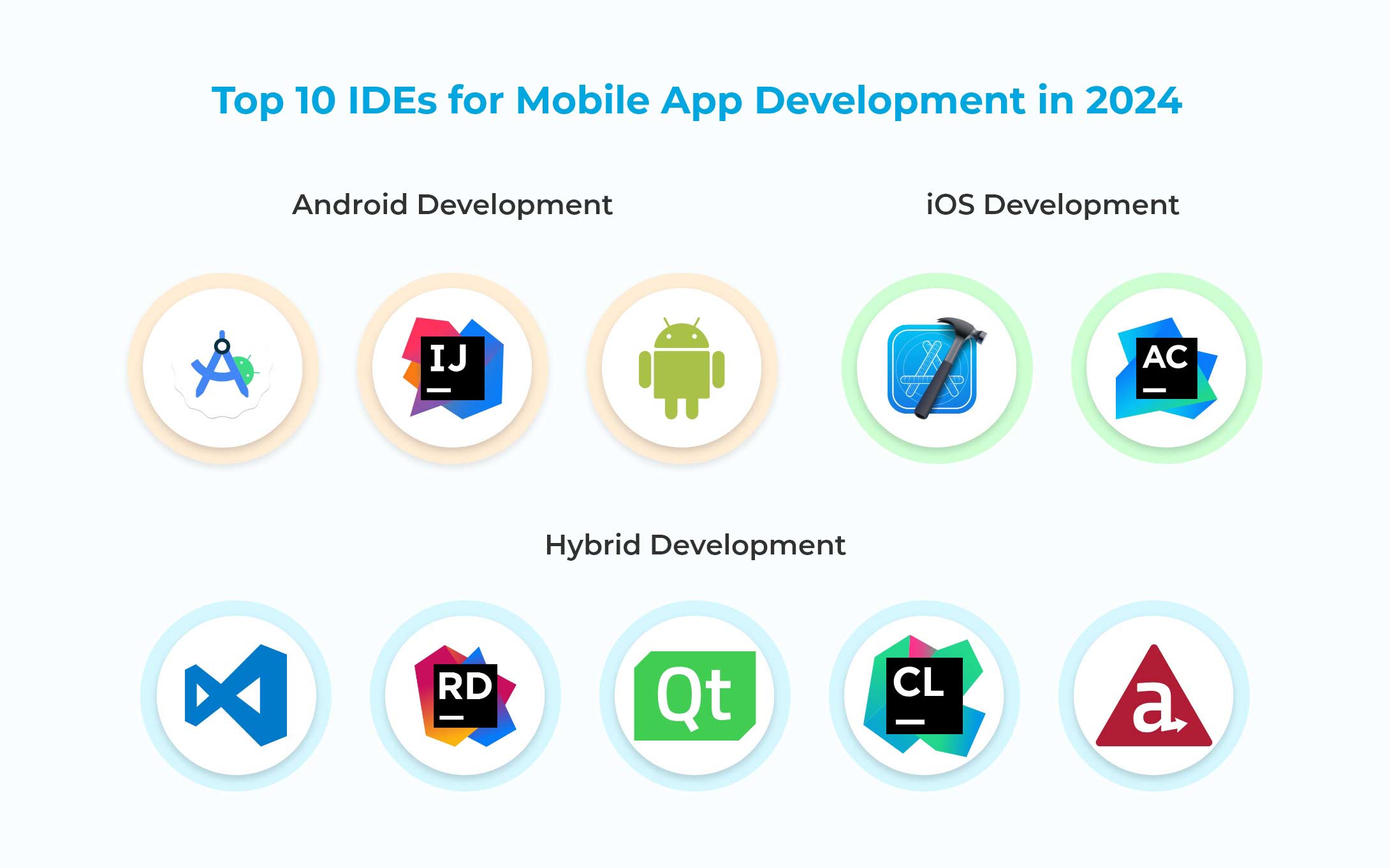
The best IDEs for mobile app development can be broken into three categories: the best for android app development, the best for iOS development, and the best for hybrid development. Let’s take a quick look at some of the top competitors.
Android Development
- Android Studio: The official IDE for Android app development. Developed and maintained by Google, it provides a suite of tools including a code editor, debugger, compiler, and visual layout editor.
- IntelliJ IDEA: A very popular IDE for Java development, which can be used to develop Android apps since they are written in Java. Includes a variety of tools for writing, testing, and debugging.
- AIDE: A popular IDE specifically for Android app development. Includes a code editor, debugger, visual layout editor, and tools for automated testing, debugging and deployment.
iOS Development
- XCode: The official IDE for iOS app development, built and maintained by Apple and shipped with most Macs and MacBooks. Includes an editor and compiler as well as a simulator, which can be used together or piecemeal alongside other solutions and editors.
- AppCode: An advanced IDE built on the IntelliJ platform and released by JetBrains. Can be used with C++, Swift, Objective C and JavaScript, making it popular among iOS developers.
Hybrid Development
- Visual Studio Code:Enables automation of the lifecycle of iOS, Android and Windows apps. Offers a suite of tools for editing, testing and debugging as well as deployment.
- JetBrains Rider:One of the most powerful IDEs available for Xamarin development, providing tools for code inspection, refactoring, version control and unit testing.
- QT IDEA very popular cross-platform development solution that allows engineers to build hybrid apps in C++, JavaScript, GML, and other languages. Includes an emulator and tools for debugging, inspection, automated testing, and more.
- JetBrains CLionAnother JetBrains solution for cross-platform development, CLion is a slightly more stripped-down IDE compared to Rider, which some engineers may find easier to use.
- AppceleratorFormerly a private system, the Titanium Appcelerator code has been made publicly available through GitHub, making it an excellent option for those looking for an open-source solution.
How to Choose the Right IDE for your Project?
Choosing the right IDE for your mobile app development project will come down to a number of factors. Your engineers’ comfort level with various tools and languages, and their personal preference will play a large role. The platform you choose to develop your application for will also be a major consideration.
Once those things have been established, you’ll need to consider things like the speed, security, maintenance requirements and cost associated with using each IDE.
Software development is complicated enough as it is the last thing you want is for your code and repositories to become unnecessarily bloated or complex. Unfortunately, it can be difficult to prevent this from happening, particularly when you have multiple teams working on the same solution, need to incorporate a lot of disparate data sources, or have legacy requirements that need to be considered.
How does software become complex? Why can this complexity be bad for business?
Software is a necessarily complex thing. Every software system has a degree of essential complexity that can’t be avoided. This is complexity introduced by simply writing code. Complexity increases when other factors come into play: technical or cost limitations, the age of the software and how many additions have been made to the codebase, and accidental complexity introduced by new developers or poor planning.
Software complexity can bog down your codebase and make code maintenance and product deployment slow and complicated. Mitigating complexity takes up valuable resources—primarily, the time of your engineers, who must trade off maintenance and refactoring requirements with the demands of developing new features.
How does software complexity make development and the maintenance of the application difficult?
The more moving parts a thing has, the more difficult it is to maintain. This is especially true of software development. Often, we don’t consider the long-term ramifications of building a particular feature, especially how the code for that feature interacts with the rest of the system.
Complexity also affects application security, as multiple studies have shown that more complex systems expose more weak points and make an application more susceptible to attacks and breaches.
This complexity can hinder software development and maintenance efforts by making code harder to understand, modify, test, and optimize. It can also increase the risk of errors, performance problems, and technical debt, ultimately impacting the overall quality and reliability of the application. Therefore, managing and reducing complexity is essential for ensuring software projects’ long-term success and sustainability.
What are the most common types of complexity in software applications?
There are three primary types of complexity in software applications: essential complexity, incidental complexity, and accidental complexity.
Essential Complexity
Every system has an unavoidable degree of essential complexity. This is the complexity introduced by simply writing code and building features. It is measured in the number of entry points, termination points, and nondeductible nodes. The closer to 1 this value is, the more well-structured the program is.
Incidental Complexity
Incidental complexity is another somewhat unavoidable type of complexity. It is introduced by constraints like cost and type of technology available, software limitations and hardware limitations.
Accidental Complexity
This is the type of complexity that can be most easily planned for and avoided. Accidental complexity is introduced through failing to establish metrics and goals for an application or feature, by failing to consider the long-term ramifications of a particular feature, or by failing to take into account the existing parts of a system.
Metrics for measuring software complexity
There are a few different methods for measuring complexity. Some of the most common include:
Cyclomatic Complexity: This is one of the most widely used metrics for measuring the complexity of a program. It measures the number of linearly independent paths through a program’s source code. The higher the cyclomatic complexity, the more complex the code. Tools like McCabe’s cyclomatic complexity metric help calculate this.
Halstead Metrics: Maurice Halstead introduced these measures based on the number of unique operators and operands in a program. The four main measures are program length, program vocabulary, program volume, and program difficulty. These metrics provide insight into the effort required to understand and maintain the code.
Chapin Metric (Data Complexity): Measures the amount of code required to build a new Maintainability Index: This is a composite metric that combines various factors such as cyclomatic complexity, lines of code, and Halstead volume to provide an overall measure of how maintainable the code is. A higher maintainability index indicates better maintainability.
Lines of Code (LOC): This simple metric counts the number of lines of code in a program. While it doesn’t directly measure complexity, larger codebases generally tend to be more complex and harder to maintain.
Halstead Metrics: Maurice Halstead introduced these measures based on the number of unique operators and operands in a program. The four main measures are program length, program vocabulary, program volume, and program difficulty. These metrics provide insight into the effort required to understand and maintain the code.
McCabe’s Complexity: As mentioned earlier, McCabe’s complexity metric, also known as cyclomatic complexity, measures the number of linearly independent paths through a program’s source code. It is calculated using the control flow graph of the program.
These methods can be used individually or in combination to gain a comprehensive understanding of the complexity of software systems and simplify software development. Each method has its strengths and weaknesses, and the choice of method depends on the specific goals of the analysis and the characteristics of the software being measured. A good software product development company can help businesses like yours minimize software complexity and improve efficiency, contact us to know more.
Launch day for a new product or feature is an exciting moment—finally, your months of hard work will be put into the hands of users (who will, no doubt, fail to use it correctly.) But your job doesn’t end after the new product launch: post-launch software maintenance is a critical step in the app development process and a key part of continuous integration that makes future launches and security updates smoother and pain free.
What is meant by post-development support?
Post-development support is the set of processes and actions that must be taken after the new product launch to maintain performance, reliability, and security. It can involve collaborations between teams as well as automated processes and available customer support solutions.
Benefits of post-deployment or post-new product launch support
Post-deployment support is not just beneficial; it is crucial. The weeks and months after the new product launch will be the true testing ground for your application’s viability. Users are quickly forming their opinions of not only the platform but your brand, so having rigorous systems in place to ensure good performance, fix bugs and send patch updates, and offer comprehensive customer support is a must. Post-development or post-deployment support offers several benefits for both the development team and the clients or users
Issue Resolution: It provides ongoing assistance in identifying and resolving issues that may arise after deployment. This ensures a smoother user experience and minimizes disruptions in functionality.
User Satisfaction: Prompt support enhances user satisfaction by addressing their concerns and issues in a timely manner. This can lead to positive feedback, increased user loyalty, and an improved reputation for the product or service.
Continuous Improvement: Feedback obtained during post-deployment support helps in identifying areas for improvement. This feedback loop can inform future updates and iterations, leading to a better product or service over time.
Reduced Downtime: Quick response to issues minimizes downtime for users, resulting in higher productivity and efficiency. This is especially critical for business-critical applications where any disruption can have significant financial implications.
Enhanced Reliability: By addressing bugs and issues promptly, post-deployment support contributes to the overall reliability and stability of the system. This builds trust among users and stakeholders, encouraging continued usage and adoption.
Adaptation to Changing Requirements: As user needs and technological landscapes evolve, post-new product launch support helps in adapting the system accordingly. This may involve adding new features, optimizing performance, or integrating with other systems to meet evolving requirements.
Risk Mitigation: Proactive monitoring and support can help in identifying and addressing potential issues before they escalate into major problems. This reduces the risk of major system failures and ensures business continuity.
Customer Retention: Providing excellent post-deployment support fosters long-term relationships with clients. Satisfied customers are more likely to renew contracts, purchase additional services, and recommend the product or service to others.
Competitive Advantage: Superior post-deployment support can differentiate a product or service from competitors. It becomes a selling point, attracting new customers and retaining existing ones in a crowded marketplace.
Cost Savings: While post-deployment support requires investment in resources and infrastructure, it can ultimately result in cost savings by preventing major issues that would be more expensive to fix later. It also reduces the likelihood of costly legal disputes or damage to the brand reputation due to poor performance or downtime.
Key components of post new product launch support
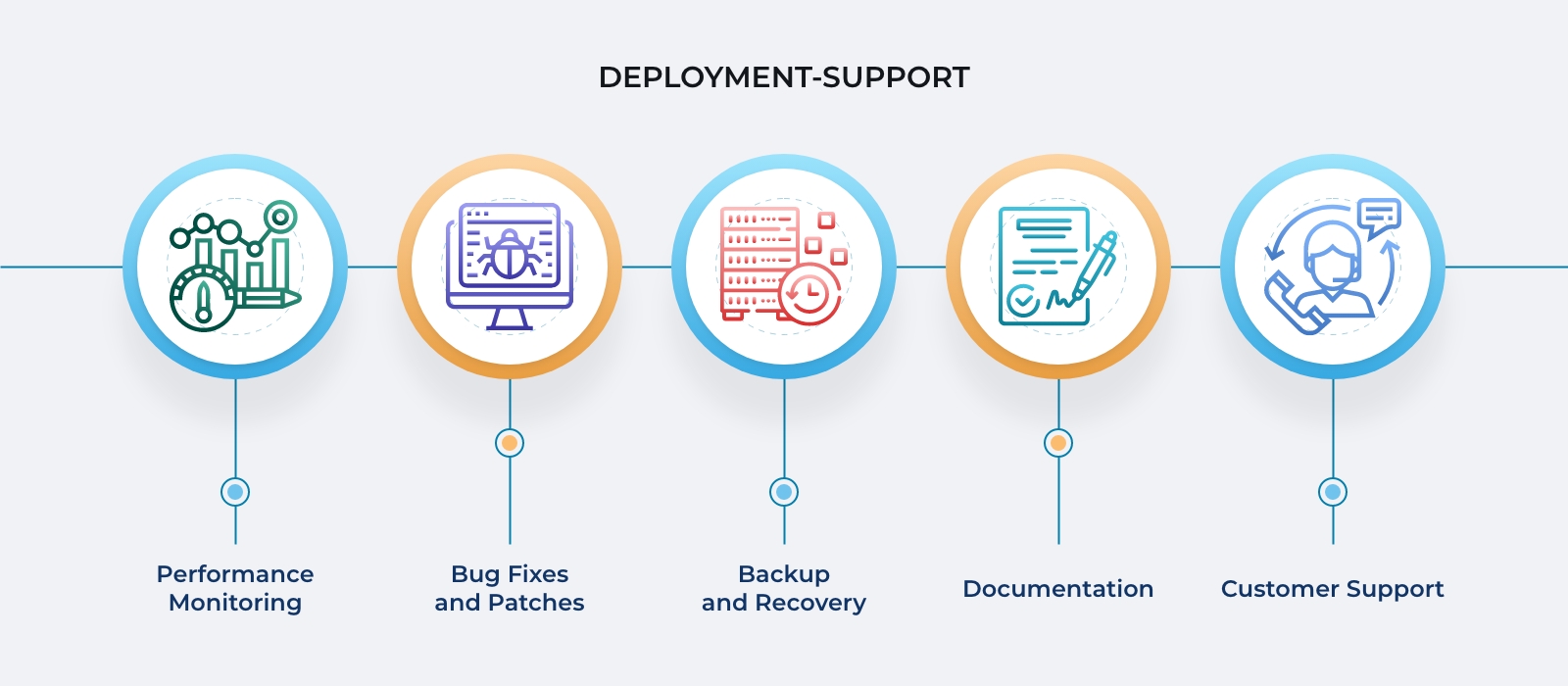
There are 6 pillars of good post-deployment support: performance monitoring, bug fixes and patches, backup and recovery, documentation, and customer support.
Using continuous integration tools and adopting an AGILE mindset to software development can alleviate the strain of managing all these areas.
Challenges of post-new product launch support
The primary challenge of post-deployment support is carving out time to dedicate to support when demands for new features are drawing your focus from the deployed project. Limited resources and the fast-paced, ever-changing world of consumer demands and user experience mean that post-deployment support can fall by the wayside in favor of the newer, shinier feature.
Top solutions for post-development support
Adopting a continuous integration (CI) strategy for your app lifecycle is the best way to ensure good post new product launch support. Essentially, make sure every member of your team sees post-deployment as part of the lifecycle, and not an opportunity to wash their hands of the project.
Utilize continuous integration tools such as Jenkins, BitBucket and AWS Pipelines, Circle CI, Github, and automated testing solutions like Selenium to automate some post-deployment support tasks and take the load off your engineers.
We at Telliant, a software product development company, help clients after their new product launch with their software maintenance and support activities.
New technologies are emerging at breakneck speed, and as we move into 2024, your business should be not only ready for them but also ready to harness and deploy them. You should also be prepared to efficiently navigate the potential challenges and difficulties that come along with the incredible benefits these top technologies provide.
Generative AI, cloud computing, and remote work solutions already play essential roles in the way we work, and these top technologies will only continue to expand in the coming years. Let’s take a look at some of the ways these and other emerging trends will shape the way your organization functions in 2024 and beyond.
Generative AI
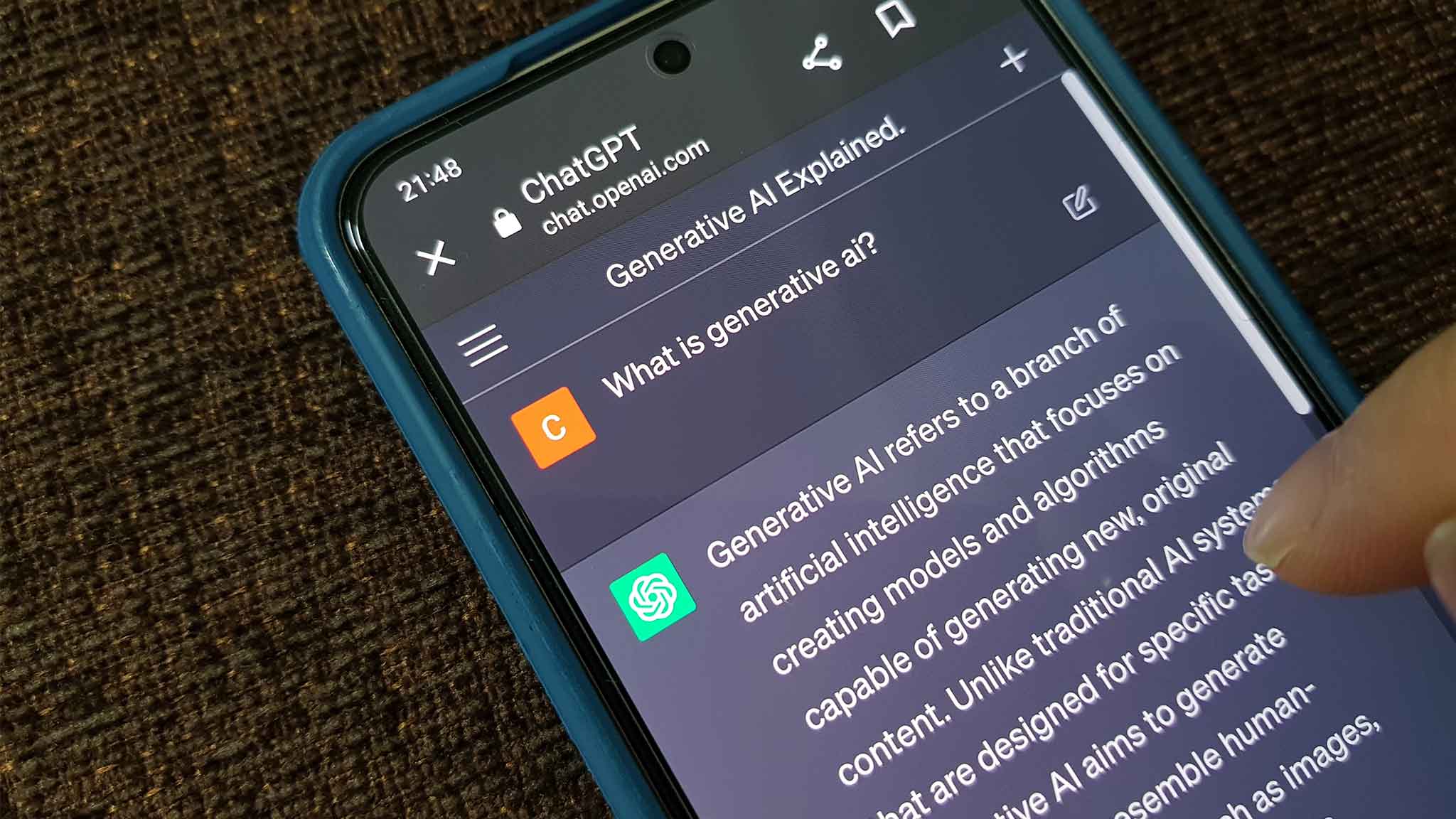
At this point, it is no longer a question of whether a business will incorporate generative AI into its technical solutions, it is a question of when. Businesses that don’t adopt this revolutionary tech are likely to fall behind quickly as the industry grows and expands.
These top technologies are predicted to reduce operational costs across all industries by up to 20% in the coming years, with significant advancements being made in the realms of healthcare, cybersecurity, information services, education, and consumer tech.
Cloud Computing

Around 80% of businesses report planning to expand their cloud service usage in 2024 and beyond, with multi-cloud solutions being adopted by about 70% of companies. As cloud computing solutions become more prevalent and affordable, organizations are taking advantage of the increased flexibility and resilience that these services provide.
In 2024, it’s estimated that around 75% of businesses will have implemented edge-computing solutions, and that serverless computing will reduce infrastructure costs by up to 30%.
Blockchain
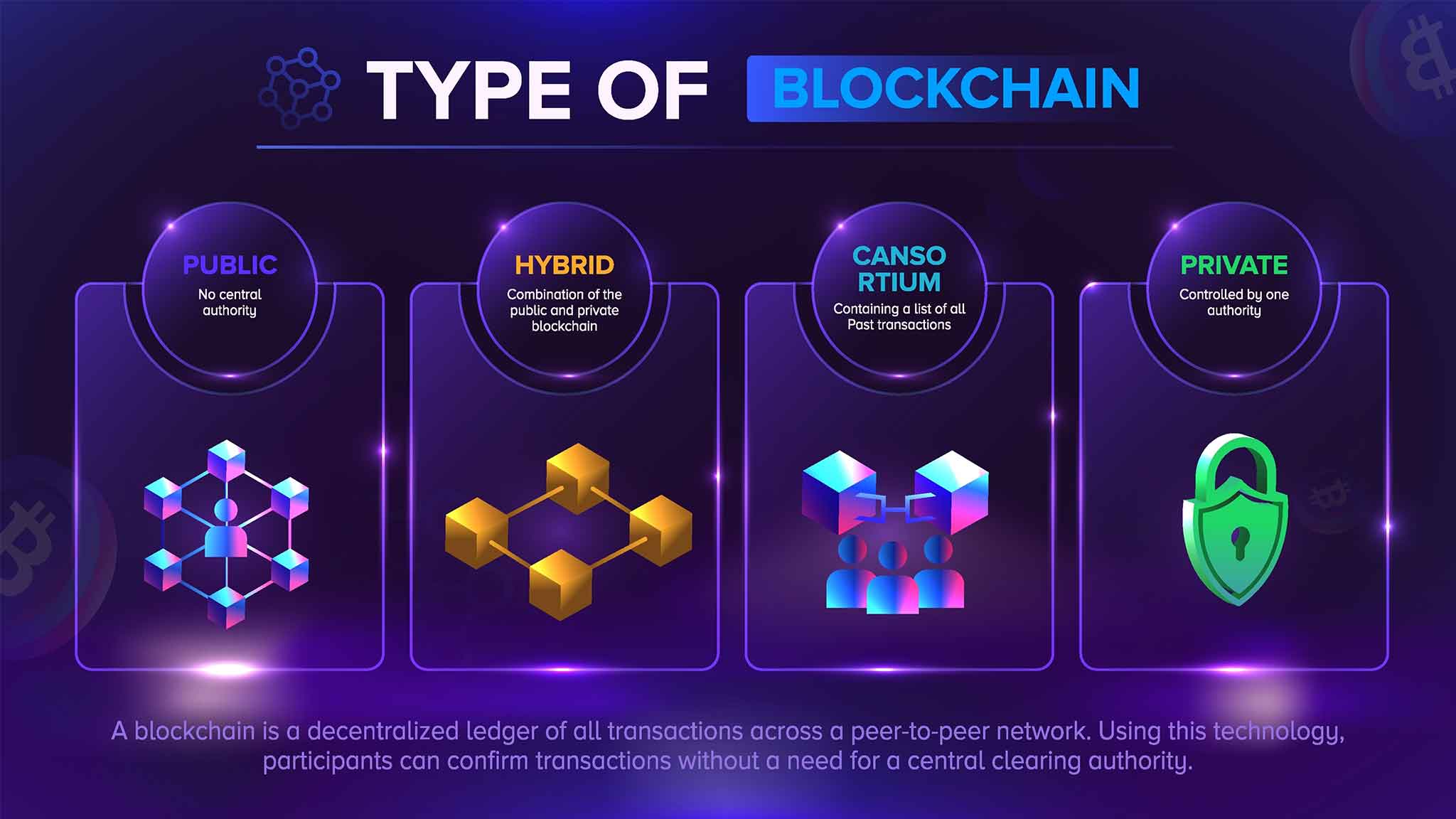
As cryptocurrency falls out of the zeitgeist, other blockchain applications are rising up to replace it. As we move into 2024, it’s becoming clear that finance isn’t the only sector in which blockchain technologies can be applied.
The conversation around Web3 technologies was primarily overshadowed by advances in the field of generative AI in 2023, but that doesn’t mean those technologies have gone anywhere. The majority of business leaders (around 84%) have expanded their understanding of blockchain beyond cryptocurrency and are seeing potential applications in energy transformation, decarbonization, supply chain management, fraud prevention, and cybersecurity.
Remote Working Solutions

Remote and hybrid work is here to stay, with over 70% of companies in 2023 permanently allowing some form of remote or hybrid work. The technologies that support these strategies continue to evolve, and businesses must stay abreast of what solutions exist to manage remote and hybrid employees effectively.
Further automation of HR processes, the expansion of geographically diverse workforces, the advent of more freelancers and part-time employees, and the increased importance of data security will shape how we collaborate in 2024 and beyond.
If you’re starting your own business—particularly one in the startup or tech space—you will likely need to find a software product development company partner at some point. Even if you are technologically savvy or coding your own platform, there will be technological needs that are either beyond the scope of your own knowledge or simply too time-consuming for you to undertake alone.
A relationship with a technology partner must be established on the basis of trust and mutual agreement. In this article, we’ll outline what a technology partner can do for you and how you can ensure that you are building a successful relationship with your technology partners.
What Is a Technology Partner?
A technology partner provides technical services to a company. Usually, a technology partner will be intimately involved in the corporate outcomes and strategies of the business. Today, businesses are highly reliant on technology to succeed. Therefore, you must establish a relationship with a technology partner early on.
How to Choose a Technology Partner
Many people default to simply choosing the cheapest option when evaluating a potential technology partner. However, there are several other factors you should consider, and these are often more important than price.
- Business Acumen – your technology partner should be savvy in the ins and outs of the sphere you are entering. They should also understand your particular space, especially if you are a new startup.
- Experience – experience is one of the most valuable resources in the business world. To find out about your potential partner’s experience, you can look at their past client relationships.
- Speediness and Budget Adherence – talk to those past clients about the potential partner’s speed and adherence to budget. Investigate any red flags.

How to Establish and Maintain a Trusted Relationship with Your Technology Partner
Trust is a two-way street. Once you’ve chosen a technology partner, building a relationship with them requires input from both sides. Here are some things you can do to help establish and maintain trust.
Ensure Cultural Suitability
It’s easier to build a relationship with somebody who shares your values and philosophies than it is to try and mesh incongruous approaches to business. By choosing a technology partner that is a good fit for your company culture, you will be establishing a baseline of mutual respect and understanding.
Work on Communication
Creating clear and open lines of communication will make building trust easier. Misunderstandings are one of the most frequent eroders of trust, so make sure that your communication lines are as smooth and seamless as possible.
Invest in Trust
As with any relationship, prioritizing trust is critical. Endeavor to show your partner how you expect to be treated by treating them the same way. This might mean funneling some additional resources into trust-building initiatives and collaboration.

As the technological landscape evolves, the importance of a reliable technology partner becomes even more pronounced. By adhering to the principles outlined in this article—choosing wisely, fostering cultural alignment, nurturing effective communication, and investing in trust-building initiatives—you lay the groundwork for a resilient and prosperous relationship with your technology partner. In the dynamic realm of business and technology, a steadfast partnership is not just a strategic choice; it is the cornerstone of innovation, efficiency, and sustained success.
If you have a large project coming up or are struggling to find the resources you need to meet deadlines and manage customer expectations, you may be considering outsourcing IT services some of your needs. But before you do, let’s take an in-depth look at the difference between insourcing and outsourcing.
In this article, we’ll talk specifically about IT insourcing and outsourcing IT services: the pros and cons of each, and why you may want to consider one or the other for your next project.
What are Insourcing and Outsourcing?
Insourcing is the practice of delegating tasks to people already working within your organizational structure. Namely, you assign tasks to your in-house workforce. Insourcing includes setting work for new hires, interns, or temporary employees.
Outsourcing (also referred to as Business Process Outsourcing or BPO) means assigning tasks to people not directly employed by your company. Frequently, this is done through a third-party service or external organization.
There are three types of outsourcing: onshoring, offshoring, and nearshoring. Onshoring means outsourcing to a company or individual in your own country. Offshoring means outsourcing to individuals or companies in countries far away (typically the People’s Republic of China or India.) Nearshoring means outsourcing to people in countries close to yours.
Pros and Cons of Insourcing
While you may automatically assume that outsourcing specific IT tasks is better than insourcing, that is not always the case. Sometimes, insourcing is better. Let’s take a look at the pros and cons.
Pros
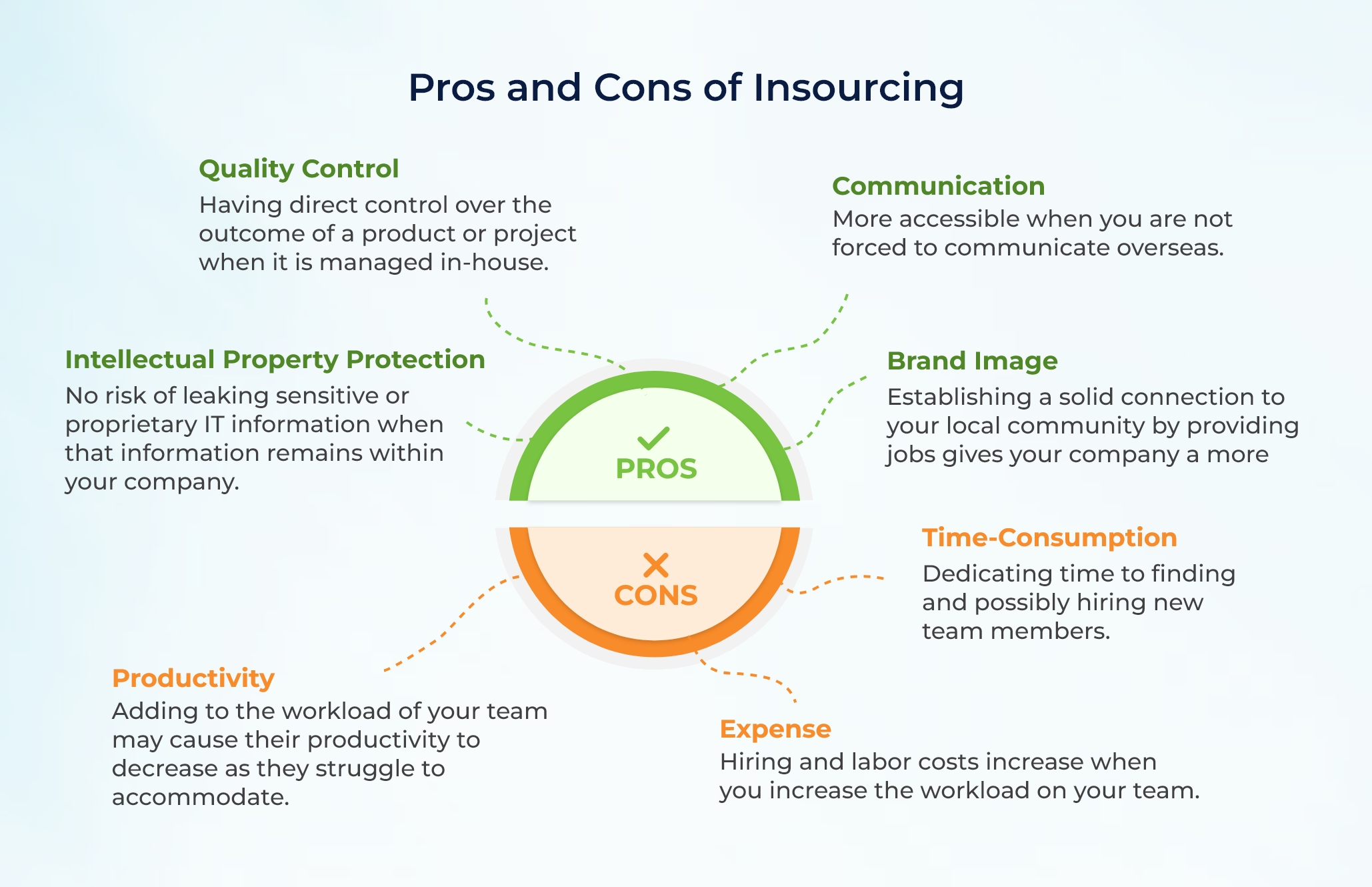
- Quality Control – Having direct control over the outcome of a product or project when it is managed in-house.
- Intellectual Property Protection – No risk of leaking sensitive or proprietary IT information when that information remains within your company.
- Communication – More accessible when you are not forced to communicate overseas.
- Brand Image – Establishing a solid connection to your local community by providing jobs gives your company a more positive image.
Cons
- Expense – Hiring and labor costs increase when you increase the workload on your team.
- Time Consumption – Dedicating time to finding and possibly hiring new team members.
- Productivity – Adding to the workload of your team may cause their productivity to decrease as they struggle to accommodate.
Pros and Cons of Outsourcing
If you’ve decided that outsourcing software development is the way to go for your business, it’s important to realize that this approach also has drawbacks. Let’s look at the pros and cons of outsourcing IT services.
Pros
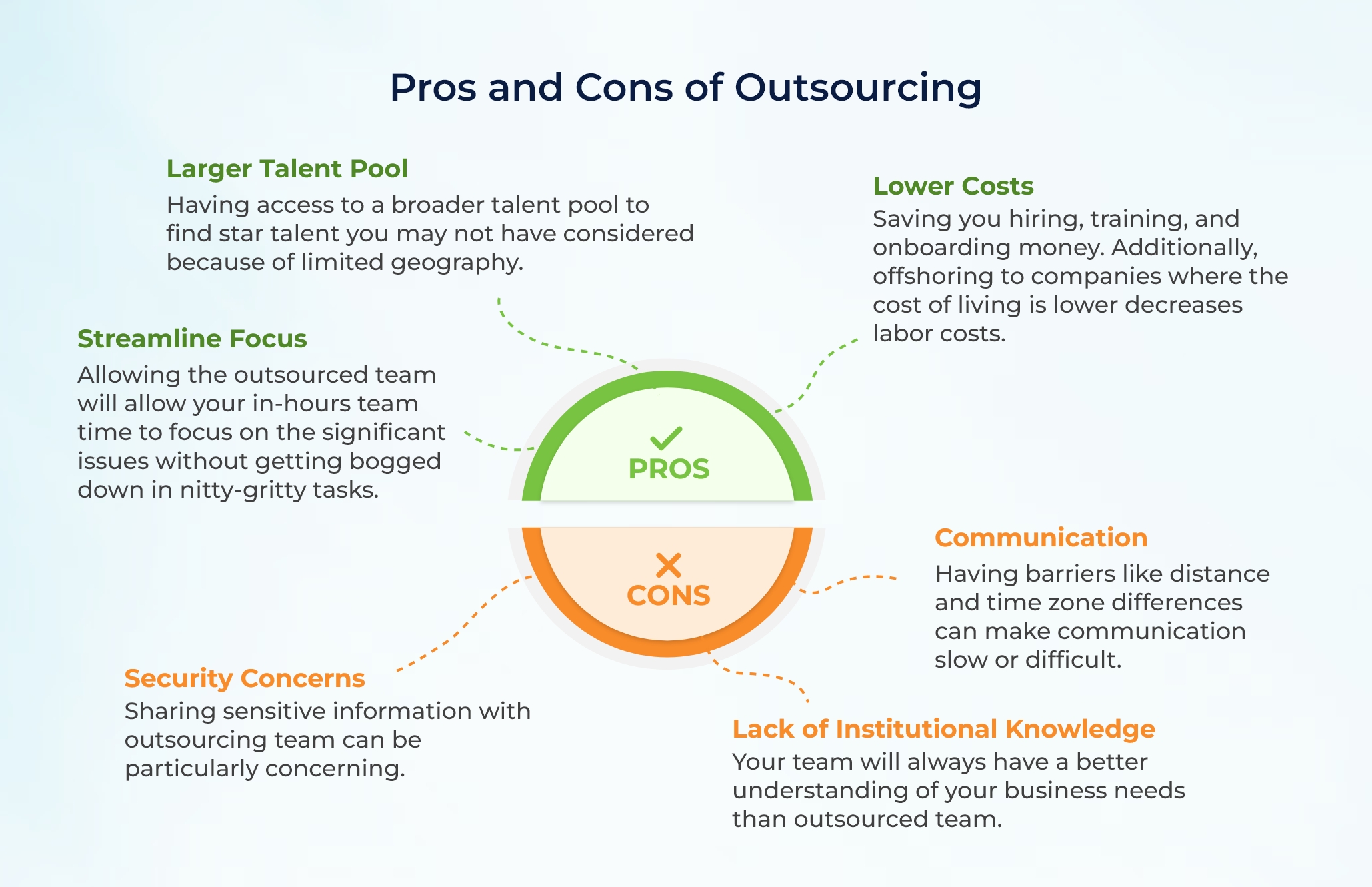
- Larger Talent Pool – Having access to a broader talent pool to find star talent you may not have considered because of limited geography.
- Lower Costs – Saving you hiring, training, and onboarding money. Additionally, offshoring to companies where the cost of living is lower decreases labor costs.
- Streamline Focus – Allowing the outsourced team will allow your in-hours team time to focus on the significant issues without getting bogged down in nitty-gritty tasks.
Cons
- Security Concerns – Sharing sensitive information with outsourcing team can be particularly concerning.
- Communication – Having barriers like distance and time zone differences can make communication slow or difficult.
- Lack of Institutional Knowledge – Your team will always have a better understanding of your business needs than outsourced team.
Should You Insource or Outsource?
Many factors influence the decision to insource or outsource, and there is no one answer to this question. Indeed, an organization may employ both strategies simultaneously or try one rather than the other. Ultimately, the decision to insource or outsource will come down to your circumstances and willingness to work within the pros and cons of each method.
The payment landscape is undergoing a thrilling transformation in 2023 as major trends gain momentum and propel the industry forward. E-commerce has been trending up for over ten years, and the e-commerce market share is expected to continue to grow in 2023. Between 2021 and 2026, retail e-commerce sales are expected to grow by over 56 percent. By 2026, retail e-commerce sales alone will equal $8.1 trillion worldwide.

With the rise of e-commerce comes the rise of digital payment solutions. “Digital payments” refers to a number of solutions, including contactless payments, digital wallets, and mobile wallets. The Covid-19 pandemic caused adoption of these technologies to skyrocket, and growth is not expected to stagnate anytime soon.
Top Payment Trends to Watch in 2023
The total transaction value of the digital payments space is anticipated to $9.4 trillion in 2023 reach. Let’s take a look at which trends will be driving this growth.
Digital Wallets
Driven by the Covid-19 epidemic, contactless payment solutions are now prevalent all over the world. Small business owners as well as major retailers now accept payment by mobile phone or through a credit card chip. In fact, 82% of small business owners worldwide have updated their operations to account for contactless payments.
Real-Time Payments
Real-time payments (RTP), or the ability to digitally send money to another person immediately, and on demand, are poised to become a larger payment strategy in 2023. Beyond simply peer-to-peer payments through apps like PayPal and Venmo, RTP is fast becoming the de-facto way of paying gig workers and workers in underbanked societies.
Payment Technologies
Digital identity technologies are in large part responsible for driving the boom in digital payments. The rapid improvement of technologies like retina scanning, facial recognition and biometric analysis has lead to increased confidence in digital payment solutions, and driven adoption of digital payment technologies.

Another key factor in the rise of digital payments is the rise of APIs and microservice architecture. APIs that support the development of payment apps and digital currencies are now commonplace, and payment APIs will continue to underpin the development of new apps and solutions in the coming years.
Trends Expected to Decrease
Although next-generation currencies have been on the rise for the last ten years, some analysts speculate that we may have finally seen the end of the cryptocurrency boom. However, others posit that increased government regulation could lead to wider adoption.
The cryptocurrency market started 2023 strong, but it remains to be seen whether this is a sign of better times to come, or simply a bear market rally after disastrous 2022.
With the increasing complexity of business logic and the growing dependence of companies on APIs and other interconnected methods for software product development and deployment, ensuring security testing in software development has emerged as a paramount priority. Applications, particularly those operating in web browsers, often consist of numerous interconnected components, presenting multiple vulnerabilities that can be exploited.
In this article we’ll talk about security testing: what it is, why you need it, and what type of security testing to use, when.
What Is Security Testing?
Security testing is the process of testing an application for security weaknesses. It is generally performed as part of a comprehensive software testing solution comprised of both manual and automated testing suites. Security testing typically falls into the automated spectrum of software testing, as automated security testing tools can do the job more efficiently than humans and can be scaled to replicate all levels of attack.
Why Is Security Testing Important?
Security testing exposes vulnerabilities in your software that attackers might use to exploit your system. It is about more than simply breaking into an application: it is about finding weak points between interconnected modules and design flaws that might lead to security holes.
These days, if your application is not secure, mobile app stores may not even allow the app to be listed. Users who experience a security breach on your website will never come back and indeed, a breach of this nature could lead to a massive PR catastrophe.
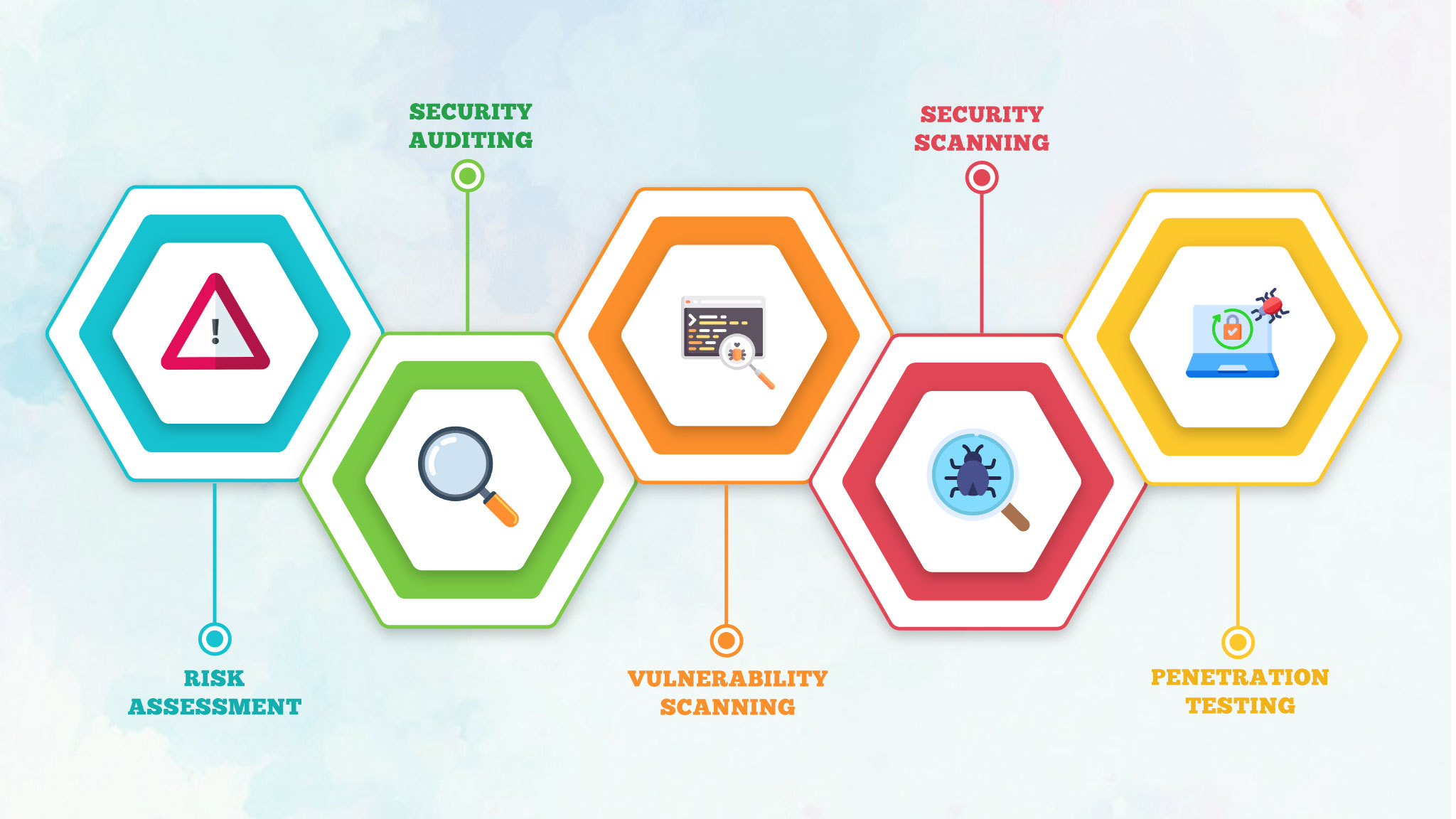
5 Security Testing Types and When to Use Them
There are 5 major types of security testing, and each one happens at a slightly different step in the application development lifecycle.

Risk Assessment
This step in the security process happens at the design stage of software development. It is usually considered the first step in risk management and security testing. Prior to building a new module, API, or application, potential security risks and vulnerabilities should be discussed with all relevant stakeholders.
This part of the security testing process often goes overlooked, but it is one of the most important steps in application development.
Source Code Review
This is a critical step in the software lifecycle, and is part of the security testing solution that cannot be automated. A human, typically a programming manager, reviews the code commits of other programmers to look not only for code quality but also for potential security risks.
As part of an agile approach to software development, this should happen regularly, every time a new piece of code is added to the code base.
Penetration Testing
This form of security testing typically happens near the end of the software development lifecycle, before the software is released to production. This can be done via automated testing suites or manually. Testers work to expose the flaws in your software’s security before hackers can find and exploit those same weaknesses in the wild.
Scanning for Vulnerabilities
This type of security testing is automated and is not tied to any particular even in the software lifecycle. It is a background activity that runs all the time, scanning parts of your system or application for potential weaknesses. It is similar to a virus scanner that runs on your laptop.
This should be a baseline component of your application’s security measures once it is released to production.
Security Audits
Regular audits of your application’s security are necessary to ensure compliance with security best practices, laws, and company policy. An audit is usually carried out by a third-party, and involves a systematic examination of the system to evaluate and report any vulnerabilities.