

- Who We Are
- Who We Help

FinTech
Healthcare
-
- What We Do
Microsoft Azure Solutions
Maintenance
Strategy
Project Rescue
MVP Development
Project Types
-
- How We Work
- Resources
- Careers


Web applications are vulnerable to all sorts of attacks, which increases security risks. The best way to protect your site against those attacks is through penetration testing. Penetration testing involves paying a professional (usually a “white hat hacker” or similar) to attempt to compromise your system and find the weak points.
There are many valid reasons for implementing a penetration testing solution, but it doesn’t always make sense from a financial or business perspective. In this article, we’ll discuss the types and benefits of penetration testing and solutions for avoiding the top 7 security risks for web applications.
Types of Penetration Testing Strategies
There are three major types of penetration testing: white box, gray box, and black box.
- White box testing allows the tester full access to and knowledge of the source code and environment.
- Black box testing means the pen tester has no former knowledge of the system.
- Gray box testing means they have partial access to the system (i.e. an admin account.)
7 Most Common Web Applications Security Risks
Within those three penetration testing strategies, testers may implement any number of attacks designed to stress the system and test its weak points. This could include network services, the client-side web applications itself, social engineering tests designed to target individuals within the company, and even physical testing where the tester attempts to physically break into your business’s server room or sensitive areas.
Here are the 7 primary types of attacks a pen tester can test for.
1. SQL Injection
SQL injection, also known as SQLI, is a common attack in which a bad actor uses malicious SQL code to manipulate a backend database and gain access to sensitive user data and company information.
2. Cross-site Scripting
In a cross-site scripting (also called XSS) attack, an attacker injects malicious scripts into the front-end code of an application or website. XSS attacks are often initiated by sending a malicious link to a user and encouraging the user to click it.
3. Cross-site Request Forgery
A Cross-Site Request Forgery (CSRF) attack forces a user to execute actions on a web application after they’ve been authenticated. An attacker might send a link to a user that takes the user to a browser window after clicking, which allows actions the attacker wants executed to happen. These attacks can expose vital data if the user is a site admin or other company official.
4. Broken Access Controls
Broken access controls allow users to perform tasks and access content they do not have permission to access. For example, if a user is authenticated as a regular user on your site but broken access controls allow them admin permissions, they can cause a lot of damage.
5. Broken Authentication
Broken authentication is an umbrella term for a few different types of issues that can arise when attackers exploit users online. A wide variety of strategies are employed to execute these types of attacks, including credential stuffing and sophisticated phishing schemes.
6. Security Misconfigurations
Misconfigured security is largely to blame for most of the data leaks and major security breaches that have happened in recent years. Security misconfigurations lead to broken access controls and exposed weak spots that attackers exploit to gain access to sensitive data, which makes security testing even more essential.
7. Sensitive Data Exposure
When your users’ Personally Identifying Information (PII) is leaked or exposed, it is bad for everyone. This typically leads to password leaks that affect not only your site but numerous other sites where users might be using the same password.
Safeguarding web applications against a myriad of potential threats is imperative in today’s digital landscape. Penetration testing emerges as a critical tool in this defense arsenal, offering insights into vulnerabilities that could otherwise remain undetected. By simulating real-world attacks, penetration testers can identify weak points in the system, allowing for proactive measures to be implemented. While the investment in penetration testing may pose financial considerations, the cost of a breach far outweighs the expense of preventive measures. By prioritizing security and implementing robust testing protocols, businesses can mitigate the risks associated with app development and safeguard sensitive data from malicious actors.
Generative AI has emerged as the biggest technology to watch in the coming years. Large tech companies like Google and Microsoft are pouring billions into developing their AI offerings, and generative AI startups like OpenAI have been labeled the most formidable new players on the tech scene.
If you’re a software product development company in today’s competitive landscape, you can’t ignore generative AI. But along with the incredible benefits that AI can bring to your business, there are risks your company should be aware of.
What is the best use of generative AI for Software Technology Companies?
Generative AI is most useful in helping software companies create content, such as articles covering their application’s use cases, pain points in the industry, and tips and tricks that give users a valuable knowledge base. It can also be used to create tutorials and custom onboarding procedures for users.
Generative AI can also be used in the hiring process, to create onboarding for new employees, and help evaluate incoming resumes and applications. It can be used to summarize important documents and meetings, make marketing recommendations, and analyze industry trends to make predictions for the future.
Generative AI can even be used to write code, build websites, and assist in code debugging, testing, and software product development.

Benefits of Incorporating Generative AI
AI can be used to augment human effort, or even replace it, meaning many business processes can be made more streamlined, efficient, and automated. Specifics depend on the use case for your particular company, but increased productivity, faster product development, and more personalized customer experiences are among the primary benefits.
Risks Associated with Generative AI
Most people agree that the main risk associated with generative AI is not incorporating it into your business soon enough. Industry leaders are already implementing AI solutions and adapting to its presence, and the longer you wait to jump in, the harder it will be to keep up.
In addition to the “falling behind” risk, there are other risks, including:
- Lack of transparency: Generative AI is advancing at such a rapid pace that even the companies that build the models aren’t sure how they work.
- Accuracy: Generative AI sometimes produces inaccurate results. All output generated by AI still needs to be moderated and checked by a human.
- Bias: Because it is trained on existing datasets, AI is susceptible to perpetuating bias found in those datasets. Regulations and guides must be put in place to mitigate the perpetuation of bias.
- Intellectual property (IP) and copyright: There is currently no regulation for either the IP used to train AIs, or the output it generates.
- Cybersecurity and fraud: Deep fakes, social engineering, sophisticated bots and other cyber security risks become extremely high as generative AI models become more and more sophisticated.
- Sustainability: Generative AI uses a vast amount of resources. Research vendors and strive to use only those who make concerted efforts to reduce energy consumption and maintain a low carbon footprint.
Top generative AI solutions for Software Technology Companies
If your company is considering integrating a generative AI solution into its processes, take a look at the following offerings for some of the best that generative AI has to offer.
- Chat-GPT4: Content production, natural language processing, answers to general knowledge questions.
- Smartly: Ad tech, marketing tech, social media.
- Kenso Technologies: Finance and fin tech solutions, natural language processing
- Grammerly: Content editing, natural language processing, grammar, and content production
- Dun and Bradstreet: Big data analysis
- AlphaCode: Code production
In conclusion, the integration of Generative AI into the operations of software technology companies presents both tremendous opportunities and significant challenges. While the benefits of increased productivity, efficiency, and personalized customer experiences are undeniable, it’s essential for firms to confront the risks associated with this rapidly evolving technology.
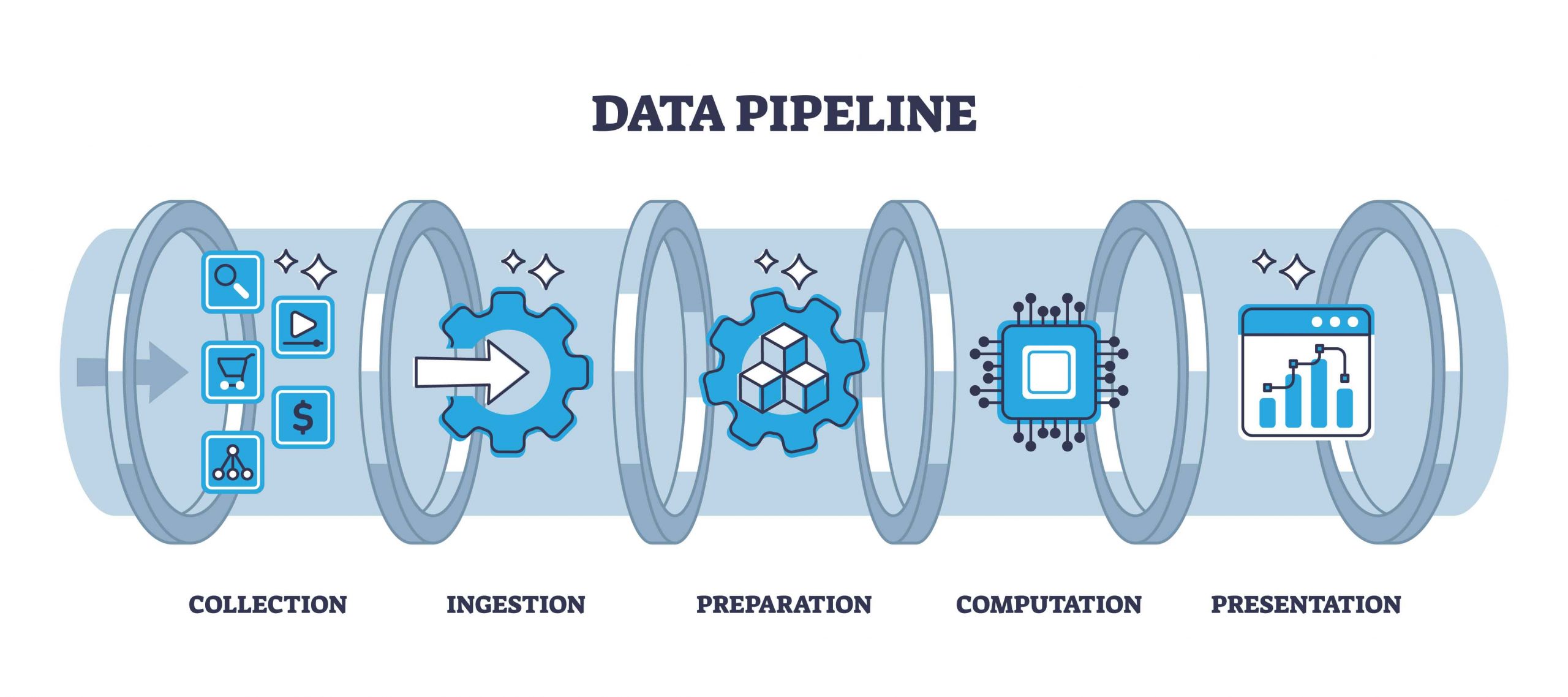
Data integration is the process of merging data from disparate sources into one cogent dataset that can be used as a business’s source of truth. Combining data sources in this way allows a business to manage that data more efficiently, gain actionable insights from data, and create actionable plans for future projects.
What Types of business data benefit from integrations?
Any business with digital data stores, especially those with a lot of legacy storage solutions or many untracked storage solutions can benefit from data integration. There are 4 primary use cases for data integration:
- Data Ingestion: Moving data from a variety of sources to a single data lake, such as transferring data from local files to a cloud database.
- Data Replication: Copying and moving data from one source to another, such as creating a backup of data stored in a data lake.
- Data Warehouse Automation: Automating data storage lifecycle processes to make analysis of available data easier.
- Big Data Ingestion: Managing very large datasets so they can easily be piped into big data analytics tools. Requires advanced techniques and tooling.
Why is data integration important for modern businesses?
Modern business is data-driven. If you aren’t analyzing the data you collect from users, web traffic, brick-and-mortar transactions, internal teams, etc. you are missing out on opportunities to better understand your business and make more intelligent business decisions.
Most modern companies have data pouring in every second of every day. This is why streamlined, and sustainable data analysis solutions must be implemented. Integrating data from multiple sources is the first step.
Types of data sources
Depending on the type of business you run, you may have one or more of these types of data sources.
-
Relational Databases
-
Cloud Databases
-
APIs
-
Object Storage
-
File Repositories
5 Key Techniques of worry-free data Integration
- Manual Data Integration: Engineers write code that transfers data based on predefined requirements.
- Application-Based Data Integration: Third-party applications are accessed to move and transform data based on established triggers.
- Common Data Storage: Data from multiple sources is piped into a single data lake or data warehouse.
- Data Virtualization: Data from multiple sources is piped in a virtual database or cloud storage system where it is made available for analysis – sometimes via pre-built visualization and analytics tools.
- Middleware Data Integration: Either third-party or in-house software is used to move, analyze, or transfer data.
The way data is integrated will depend on the type and structure of data that needs to be integrated. A pipeline needs to be set up that understands the shape of the data, its origin and destination, and usually, its intended use.
What to watch out for when integrating data
The specific techniques used for data integration depend on a number of factors, including the volume and type of data to be integrated, the sources and destinations, the time and resources available, and the performance requirements of the new system.
Often, your available time and resources are the limiting factor. You may not have enough engineers available to write the code needed for a manual data integration, but you may not be able to afford the third-party software needed for an applications-based data solution. You can always consider hiring a software product development company if time and resources are the only limiting factors.
In this case, a tradeoff must be made, and you’ll need to keep in mind your goals when determining the best solution for you. Is your primary goal to maximize efficiency in data management, or to make data more easily accessible for your employees? Do you simply need to create a more robust storage solution? Do you have primarily internal or external data sources?
Questions like these will help you determine the correct path forward for your business when it comes to your particular data integration solution.
A new year brings with it new possibilities, and nowhere is that truer than in the world of tech. Technology feels as though it’s evolving at breakneck speed these days, with new innovations emerging seemingly every other month.
Heading into 2024, it’s essential to stay tuned to the emerging and evolving technologies that will shape various industries, including a software product development company like ours.
Artificial Intelligence
Artificial intelligence has been at the forefront of the collective conversation for a while now, and it isn’t going away anytime soon. Businesses are rushing to incorporate generative AI solutions into their offerings, and new AI integrations are arising all the time.
In 2024, we can expect to see AI become even more commonplace as the benefits of its natural language processing and problem-solving abilities are embraced. Expect to see major increases in the use of AI across cybersecurity, economics, and consumer products.
We should also expect the conversation about AI to turn increasingly toward alignment and ethical issues as scientists wrestle with precisely what this new technology means for humanity and the new intelligence we are creating.
Quantum Computing

While it is currently in nascent stages, it is expected that practical applications for quantum computing could emerge as soon as 2024. Computers with the ability to process huge amounts of data at incredible speed will quickly become available to business users, medical researchers, and cybersecurity professionals.
In 2024, we will need to prepare not only for the incredible benefits and advantages that quantum computing will bring but also for the threats. More investment in research and development will need to be made in both private and public sectors. At the same time, advanced study, and degrees in the area of quantum computing will become attractive options for college and graduate level students hoping to enter the technical workforce.
Blockchain
While technologies like Bitcoin and other blockchain-based financial solutions are no longer at the forefront of the conversation, there are many other applications for blockchain that will continue to impact the technical world in 2024 and beyond.
Blockchain has applications in supply chain management, fraud prevention, healthcare, music, and even voting systems. As we move into 2024, expect to see even more areas in which blockchain can successfully be implemented and scaled.
Energy Solutions

As climate change continues to pose an ever-looming threat and the world strives to be greener and cleaner, expect to see advances in renewable energy and other clean energy solutions. Innovative storage solutions like solid-state batteries will offer even higher energy densities and longer lifespans than even lithium-ion batteries.
Gravity-based storage systems, which provide sustainable, long-term storage options by storing gravitational potential energy, will become critical in the management of long-term renewable energy sources.
In the last three years, cloud computing has become the de-facto approach to managing IT and architecture concerns. The question for most businesses is no longer “Should we be using cloud computing?” it is “Which cloud service should we use?”
In this article, we’ll look at the top three players taken off? in the cloud computing space and compare their offerings.
Cloud Services Overview
“Cloud service” refers to the infrastructure, platforms, and software that third-party vendors make available to individuals and businesses through the Internet. Cloud services might refer to a software-as-a-service (SaaS) application like Slack, to a platform-as-a-service solution that provides IT infrastructure upon which an application can run, or to infrastructure-as-a-service solutions like storage, networking or compute resources.
Cloud Provider Overview

AWS
AWS (Amazon Web Services) dominates the space with 33% of the market share. Launched in 2006, this platform offers the largest and most robust global network of data centers, and a vast and ever-growing set of tools and services. The company focuses on public cloud solutions, and while hands-on support isn’t feasible from such a large company, there are dedicated cloud service providers who can provide it.
Azure
Microsoft Azure is the second-largest competitor in the arena, with 21% of the market share. The platform launched in 2010 under the name Azure, and has since grown to provide a hybrid cloud solution that bridges the gap between legacy data centers and the powerful Microsoft cloud.

Controlling the smallest portion of the market share at 11%, Google Cloud Platform (GCP) launched in 2011 and developed the Kubernetes structure upon which AWS and Azure are now based. Leveraging Google’s powerful big data technologies, GCP offers high-compute offerings like machine learning, AI, and analysis. They are known to have a robust and responsive network of data centers.

AWS Vs Azure Vs Google Comparison Snapshot
Let’s take a look at these three giants side by side.
Best Choice

|
AZURE | AWS | GOOGLE CLOUD |
|---|---|---|---|
| Price |
Again, Azure’s pricing is difficult to parse and customized for each customer, so determining the price on your own before you commit is not easy. They have a free tier similar to AWS, which allows up to 750 hours of time on their primary compute platform per month. |
AWS pricing is quite opaque and difficult to calculate, as there are a lot of variables that determine specific pricing for various services based on your needs. It’s recommended to work with a third-party estimator to help you navigate the complex offerings. |
Google prides itself on offering “user-friendly” pricing, so GCP’s pricing is simple and straightforward. They also strive to beat the competition by offering consistently lower prices. |
| Features/Services |
Azure’s cloud portfolio is nothing to sniff at. With 18 separate categories of tools including their flagship Virtual Machines compute offering, they also offer bot services, natural language processing and search, hybrid cloud solutions, and integrated support for Microsoft-first systems. |
With an always-expanding suite of tools, including powerful AI-oriented options like DeepLens and Gluon, Amazon also offers a diverse set of cloud computing features including their world-class flagship service Elastic Compute Cloud. |
GCP boasts a rich and powerful set of AI-oriented tools and APIs to facilitate things like natural language processing and search. They have the largest number of tools in their suite with 19 separate categories of features. |
| Availability |
Following AWS in terms of reach is Azure, with an extensive global network of data centers in international regions including three in Brazil, three in Canada, eighteen in the US, six in Asia and three in Australia. They also have data centers in Mexico and Chile. |
Amazon leads in terms of international availability zones, with twenty-four in North America, three in South America, twenty-four in Europe, six in the Middle East, thirty-two in Asia and six in Australia. |
Google trails in terms of its availability, but its offerings are rapidly expanding, with data centers in the US, South America, Asia, Europe, and Australia. |
| Reliability |
Azure reliability is managed through machine learning with their Ai-powered DevOps solution, AIOps. This allows companies to automate roll-out, scale, and issue detection. |
AWS wins in terms of reliability too, with minimal downtime and extensive automated recovery procedures. Their services scale flexibly, using multiple small resources, which reduces the impact in case of failure. |
As with their pricing, Google is transparent about their reliability, providing real-time updates on outages and automated DevOps solutions. |
Other Alternatives
If you’re seeking something other than one of these three options, you will find competitive solutions through Alibaba Cloud, IBM, Dell, and HPE.
There comes a time in the lifecycle of every organization when a knowledge transfer is necessary. Perhaps a senior engineer is leaving and you want to hang on to their institutional knowledge. In order to make sure that vital information stays within the company and is available for relevant employees to access, it is important to implement an effective knowledge transfer strategy.
What is knowledge transfer?
“Knowledge transfer” refers to the process of transplanting knowledge from one individual, team, or organization to another. It can occur when a senior employee leaves, when two teams or organizations merge, or when a company scales up and hires new employees.
“Formal knowledge transfer” is a documented and intentional process, during which one employee or team sits down with another and expressly updates that team or individual with need-to-know information, based on a set of established criteria.
“Informal knowledge transfer” happens day-to-day as employees collaborate and share information through in-person meetings, emails, and presentations.
Benefits of a formal knowledge transfer process

A formal knowledge transfer process can prevent teams from “re-inventing the wheel,” can spark new ideas, can drastically reduce onboarding time, and can improve your company culture by fostering an environment of sharing and accountability. Additionally, successful knowledge transfer in software product development contributes to improved efficiency, team collaboration, and individual growth, ultimately leading to successful project outcomes and organizational success.
Increased productivity: Successful knowledge transfer allows team members to learn from each other’s expertise and adopt best practices. They can build upon the shared knowledge and apply it to their tasks, resulting in faster development cycles and higher-quality software.
Reduced dependency and improved continuity: Knowledge transfer helps reduce dependency on individual team members. This promotes continuity in project execution and mitigates the risk of disruptions caused by personnel changes.
Skill development and career growth: Successful knowledge transfer provides opportunities for skill development and career growth. It contributes to the professional growth of individuals and supports overall talent development within the organization.
Regenerate response How to execute knowledge transfer?
Let’s take a look at the steps of a formal knowledge transfer. Depending on the scale of your intended transfer, you may benefit from using a knowledge transfer template.
Identify Goals and Desired Outcomes
Before you begin a knowledge transfer, it can be helpful to consider the goals of the transfer, as well as the benefits and limitations. Define your metrics for success early on. Determine exactly which knowledge you need to transfer to meet the desired goals. This will prevent you from over-collecting or under-collecting information in the next step.

Collect and Organize Information
Make sure that you reach out to all individuals who may potentially have access to desired knowledge. It’s easy to overlook people in a large organization. Involve all levels of the corporation in the process to some degree.
Don’t forget to organize and structure the collected information. Overlooking this step can result in confusion and the need for follow-ups once the transfer has been completed.
Schedule Transfer Time and Method
Your knowledge transfer may not require a face-to-face meeting. An email to the relevant parties may be all that’s needed. Or the transfer could occur incrementally over a number of weeks. The time and method of the transfer will depend on the type and amount of knowledge being shared, and the people who are involved in the sharing.
Distribute the Information
There are several methods for distributing information. Which one you choose will depend on your specific circumstances. Here’s a brief overview of the options:
- Mentorship – this works well when there are just a few employees involved in the transfer, particularly in the case of a senior employee imparting knowledge to juniors.
- Modeling – this can work for larger groups who need to learn from a single individual or another large group.
- Work shadowing – this is effective for onboarding new employees, however, it is an expensive transfer method.
- Collaborative work – encouraging ongoing collaborative work is a great way to do informal knowledge sharing that makes formal knowledge sharing less necessary
- Foster a culture of sharing – building on the last item, a company that fosters a culture of information sharing may find it easier when implementing formal knowledge-sharing strategies
How to measure the effectiveness of knowledge transfer.
Measuring the success of your knowledge-sharing efforts will be easier if you started out with clearly defined success metrics. Depending on the amount and importance of the knowledge shared, your success can be measured by the number of individuals who received the information, and the effect on the performance of those individuals.
Multi-tenancy is an old computing term that traces its roots back to the very first computer networks in the 1960s, when companies had to rent shared space on mainframe computers and access the same applications.
Why is the term “multi-tenancy” experiencing a resurgence today? To answer that, let’s look at the concept of multi-tenancy as it relates to cloud computing which is one of today’s major computing concepts.
What is Multi-Tenancy?
Multi-tenancy is an architecture that allows multiple clients to share a single instance of a software application. Each client is called a “tenant,” and each tenant may have some control over the appearance and functionality of the software. Tenants may be able to customize the UI, for example, but will have no control over the software’s code.
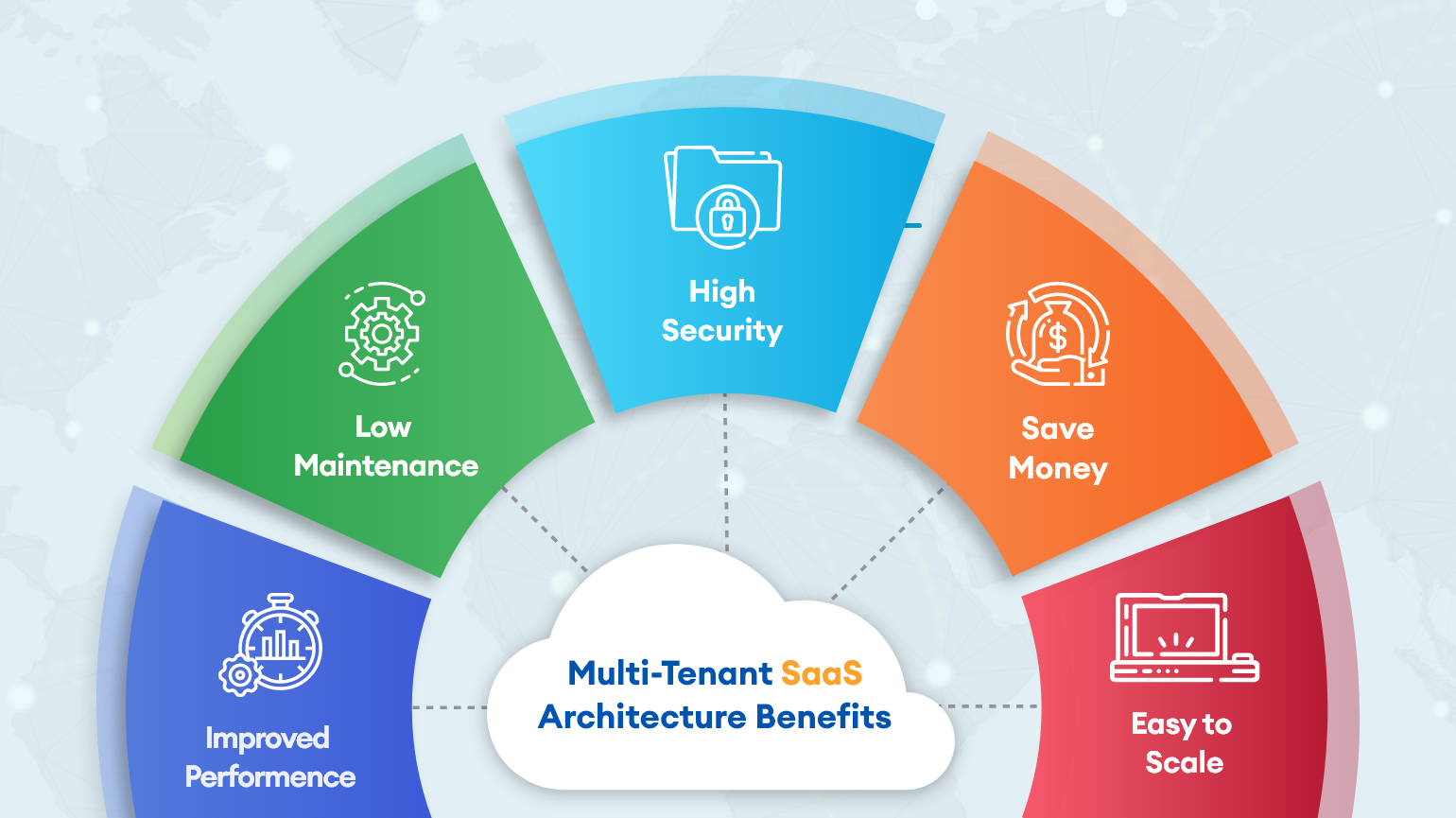
In cloud computing, multiple tenants share resources such as configurations and data. Shared resources can be customized and physically integrated but are logically separated. For example, in a public cloud, the same servers can be used to host multiple users. Each user (or tenant) is given a logically separate and secure space within the same server.
Why is Multi-Tenancy Needed?
Multi-tenancy allows many users to share limited hardware infrastructure. Both public and private clouds are dependent on multi-tenancy architecture to operate efficiently and economically. Without it, systems would not be scalable, and performing many cloud-computing processes across many clients would become technologically untenable.
Multi-Tenant Architectural Options
There are three primary multi-tenant architecture types:
1. One App Instance / One Database
This type of architecture allows a single instance of the software to support a single database. All tenants (user accounts) that access the software have their data stored in the same database.
| Pros | Cons |
|---|---|
| Cheap because resources are shared | Easy to scale |
| Noisy neighbors | Risk of exposing one client’s data to another client |
2. One App Instance / Multiple Databases
In this type architecture, a single instance of the software supports multiple databases. Each tenant has a separate database instance that is independently maintained.
| Pros | Cons |
|---|---|
| Reduced noisy-neighbor effect / better isolation of tenants | Easy to implement |
| Doesn’t scale well | Expensive because fewer resources are shared among clients |
3. Multiple App Instances / Multiple Databases
The final type of multi-tenant architecture, every client installs and maintains a separate instance of the software on their own device or system. This furthermore entails that every client also maintains a separate database.
| Pros | Cons |
|---|---|
| Highly secure and very isolated | Allows clients to have full control of the application. |
| Difficult to maintain. | Very expensive |
| Adding new tenants is difficult and costly. |
Real-World Examples of Multi-Tenant Architectures
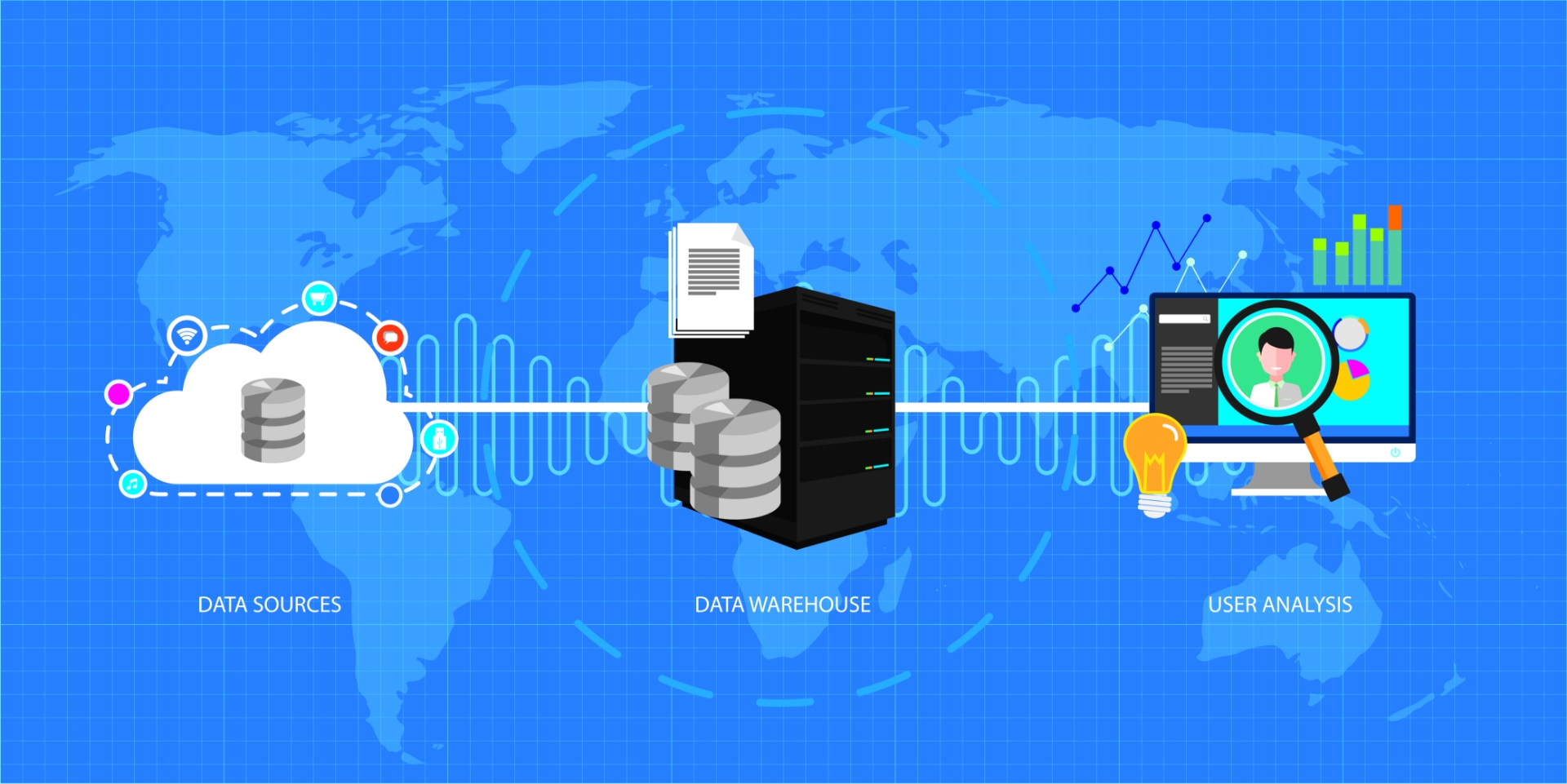
One real-world example of this type of architecture is a large enterprise with multiple departments, where each department is a tenant in the system but requires access to the same data. This might be achieved using a one-app instance / single database architecture.
Other real-world examples include GitHub, Slack, Salesforce, and other online SaaS solutions. In these applications, users all have access to the same basic set of core features and user interfaces. Users can customize certain aspects of the software, like the UI skin and notifications, but cannot change core functionality.
This is a high-level explanation of a complex decision to be made regarding your software platform. But hopefully provides some idea of key factors to consider.
If you write software or work for a company that does, chances are you have spoken to someone on your team about testing at one point or another. Testing is a critical step in the software lifecycle, and as part of an agile development method, it can help enterprises launch more and better products faster.
Software testing broadly breaks down into two categories:
- Manual Testing
- Automated Testing
In this article, we’ll explore both forms of testing, lay out the pros and cons of each, and discuss when you might want to use one over the other.
What Is Manual Testing?
Manual testing refers to the process of running tests by hand, without the aid of scripts or coded testing suites. Manual testing is done by QA (Quality Assurance) engineers, requiring the input of a human even if the tests themselves are coded.
Manual testing could be as simple as handing your app over to a group of users to play with, or as complex as having a QA engineer run multiple tests one at a time and generate results reports.
Types of Manual Testing
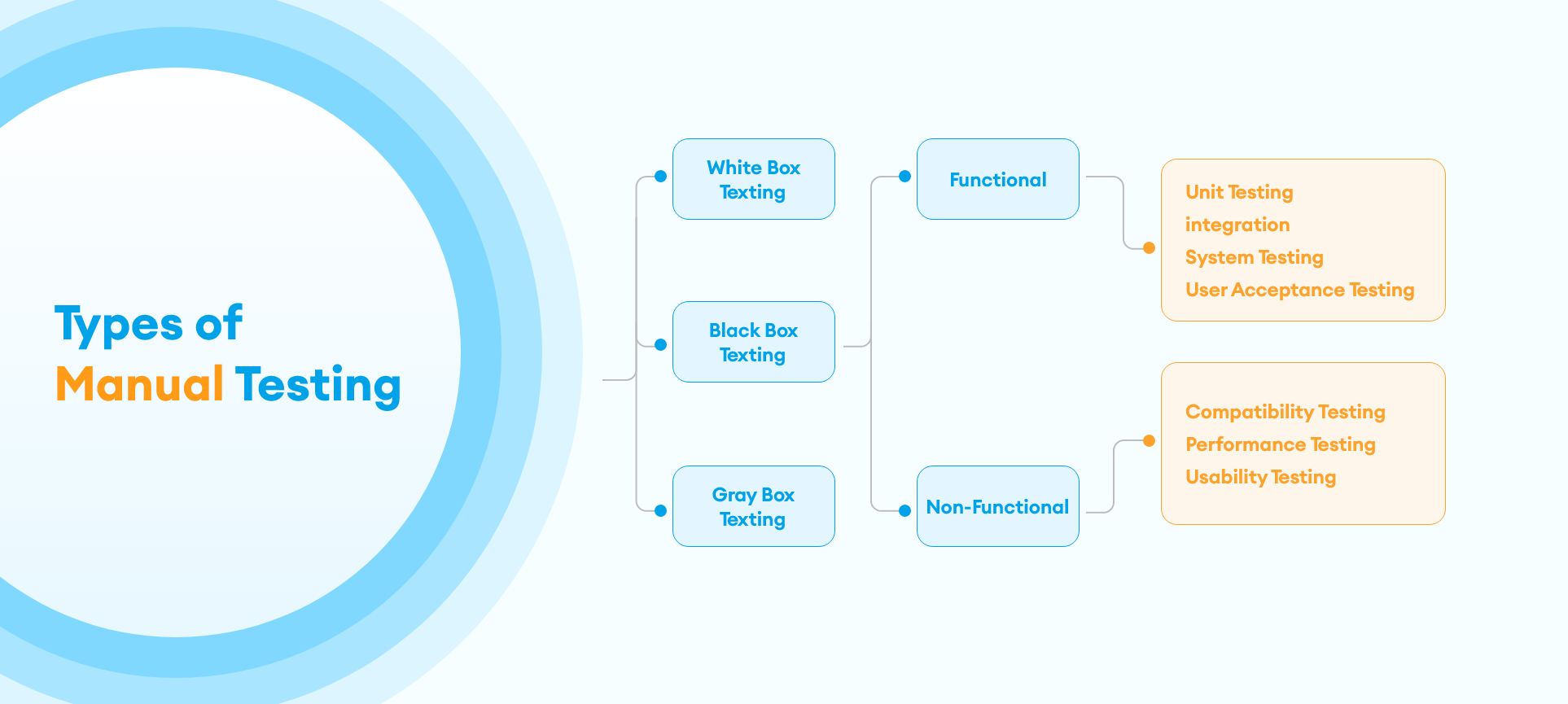
Before we dive into the pros and cons of manual vs automated software testing, let’s briefly outline the types of tests that should be performed on software in order to create a comprehensive testing solution. Some of these tests can only be performed manually, while others can be automated.
- Black Box Testing: Test the software’s functionality without looking at the code.
- Clear Box Testing: Design test cases using code. Usually, run in the form of unit tests.
- Component Testing: Ensure all modules of source code are working correctly-One step up from unit testing.
- End-to-End Testing: Evaluate the system’s overall performance and compliance with requirements.
- Integration Testing: Test interfaces between two applications or modules.
- Pre-Production Testing: Ensure the final product is functional and smooth.
What Is Automated Testing?
Automated testing removes the human from the equation by allowing software engineers to write coded testing suites that explicitly test various pieces of the software and overall system. Unit tests, component tests and some end-to-end and integration tests can be written in this way.
Agile software development usually demands that engineers write tests for each new piece of code they add to the repository.
Types of Automated Testing
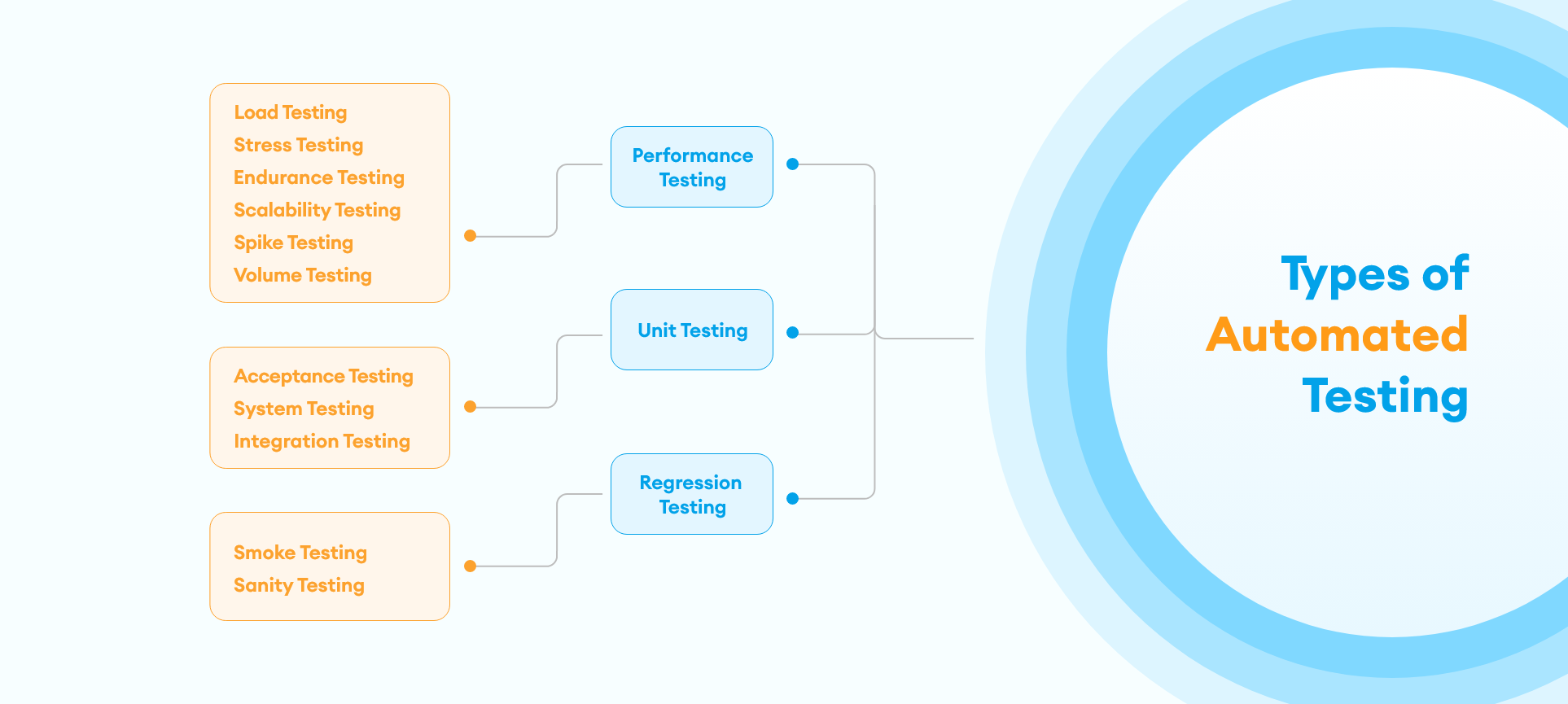
Just as there are different types of manual testing, there are different ways to automate tests, depending on what aspect of the software needs to be tested. Let’s look at the different types of automated testing.
Unit Testing
Unit testing refers to running tests on small, discrete pieces of code, usually a single module or function. Unit tests are written in parallel with the code they test, and are committed early and often alongside code changes. This process is known as Test Driven Development (TDD) and can help engineers catch bugs before they make it to production.
Regression Testing
Regression testing can be performed manually or automated depending on the number of test cases you need to perform. When it is automated it is the process of testing old code whenever new code is introduced, to make sure the new code doesn’t break something in the old code. Regression testing is more comprehensive than unit testing, as it tests the entire system. It should happen as frequently as unit testing and can be automated through the use of various tools like Selenium or Ranorex.
Performance Testing
Regularly testing the performance of your application is a crucial part of ensuring a good experience for your users. You can test the scalability and responsiveness of your app under real-world conditions by using automated load-simulating tools such as JMeter or LoadRunner.
Pros and Cons of Manual Testing
The primary concerns about manual testing relate to the capacity for human error. Humans misinterpret results, run tests incorrectly, and make mistakes, particularly when forced to do repetitive tasks better suited for a computer.
Another con of manual testing is that it is time and labor-intensive. Hiring QA engineers to manually run tests on units and code modules will always be slower and more expensive than automating those test suites.
The pro of manual testing is that humans often catch things that machines don’t, particularly when it comes to user interfaces and end-to-end testing. This is why it’s important to include manual testing as a step in your testing process, regardless of whether or not you also have automated tests.
Pros and Cons of Automated Testing
The major benefits of automated testing are accuracy, and time and money saved, as discussed above. However, with that comes the caveat that moving testing to an automated solution places the burden of testing onto already overworked engineers, who are now responsible not only for writing code but also writing and running tests for that code.
This could be seen as both a pro and a con: the engineer who wrote the code knows what it is supposed to do, and so may be the best person to write the test for it. However, the engineer may also fall into the trap of only testing the “happy path” or the solution they expect to work.
To achieve a well-balanced testing solution, a mix of automated and manual testing is required.
Every industry is burdened by processes that are repetitive, tedious, time-consuming, and expensive. What if there was a way to reduce the cost, increase efficiency, and improve the deliverability of the results of these processes?
Many businesses are discovering that Robotic Process Automation (RPA) is the solution that does just that. So, what is robotic process automation, and how can it improve your company’s performance?
What is Robotic Process Automation?
Robotic process automation (also referred to as RPA) is the application of technology to reduce the necessity for human labor. RPA solutions seek to automate menial, repetitive tasks and move the burden of those tasks away from people and onto machines.
Robotic process automation encompasses everything from creating an automated email response when you are away from work to deploying thousands of artificially intelligent bots to track and manage investment trading.
Benefits of Robotic Process Automation
The primary benefit of RPA is that it frees human capital to engage in high-level thinking and creativity rather than spending many hours engaged in repetitive, low-benefit tasks. Robotic process automation also decreases overhead, as humans are more expensive to employ than robots.
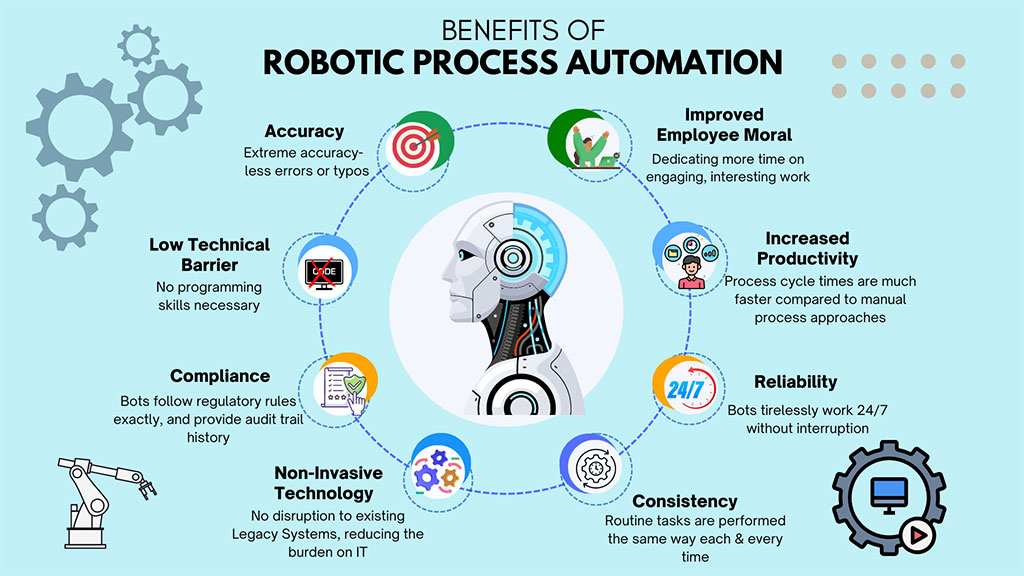
Robots are also better at doing these types of menial tasks than humans. They are faster and more accurate. Properly configured, software robots can increase a team’s productivity by up to 50%, with fewer errors and lower costs.
Types of Robotic Process Automation
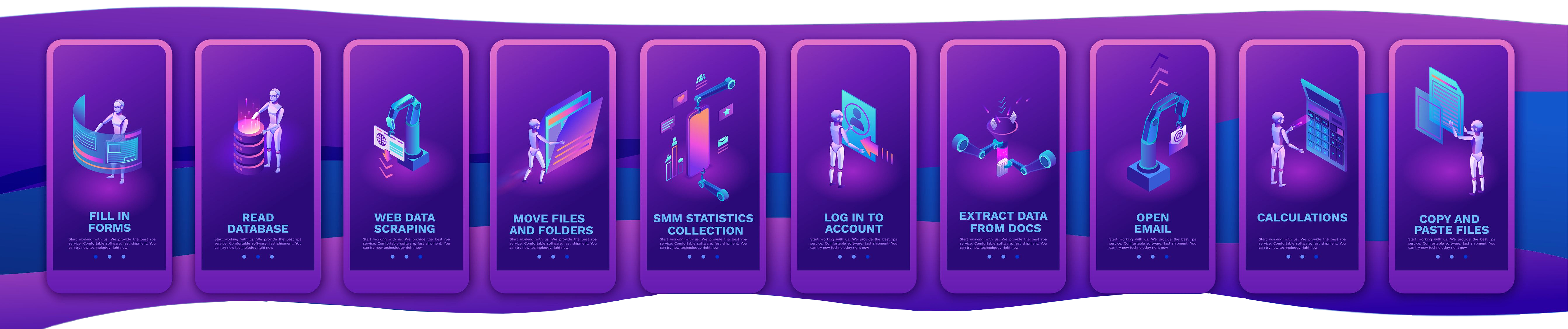
The three major types of robotic process automation are attended automation, unattended automation, and hybrid RPA.
Attended Automation
This form of RPA is triggered by the user and typically replaces part of the process that a user would normally do manually. For example, if a user frequently must go through several steps in an interface to complete a task, they could instead launch an attended automation RPA sequence at the moment that the series of steps begin.
Unattended Automation
Unattended automation requires no input from a user and can be deployed in batches to a cloud or other system. A good example of unattended automation is an online onboarding sequence that is automatically sent to all incoming new employees. Other examples include automated trading and finance management and processing invoices.
Hybrid RPA
Hybrid RPA employs aspects of both attended and unattended RPA. In this way, both front and back-office tasks can be automated, allowing for end-to-end automation of an entire system.
Robotic Process Automation Tools
RPA tools and solutions are sometimes presented as “workflow management” or “work process management” tools. Other names for RPA solutions include “business process automation” and “business process management.”
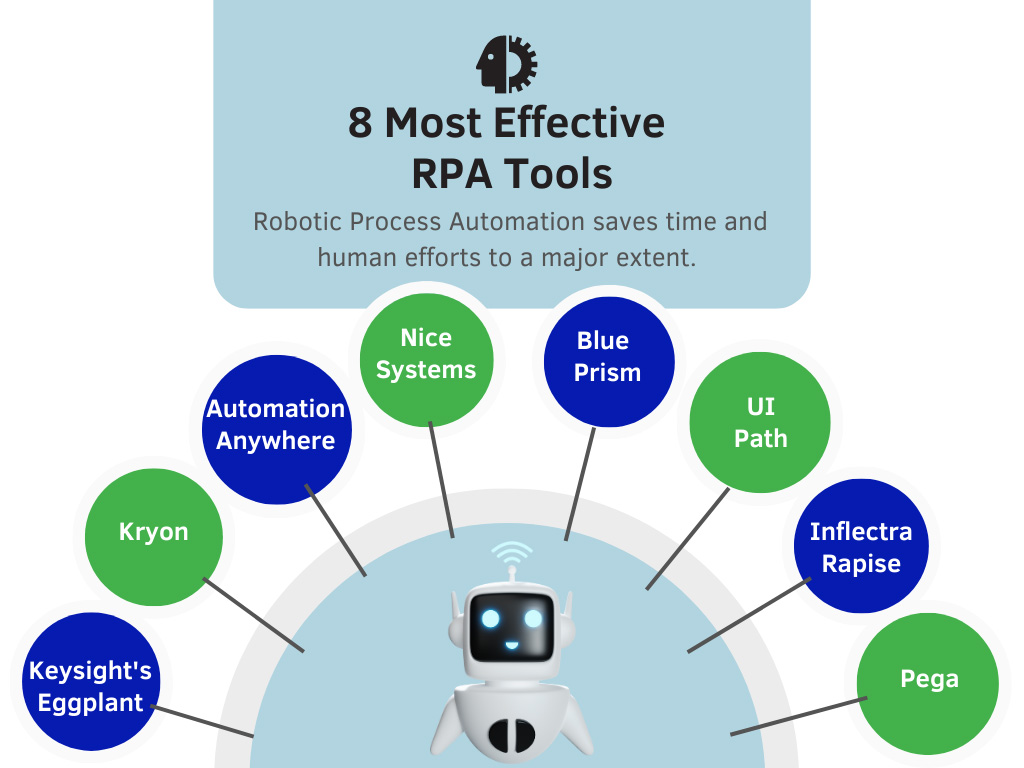
Today, the RPA marketplace contains a mix of both purpose-built RPA tools and older work management tools that have been updated to provide robotic process automation solutions. Some of the top RPA tools available today are those built by Appian, Automation Anywhere, Blue Prism, and UIPath.
Real-World Use Cases for RPA
RPA can be used in many applications to solve many business problems. First and foremost, simple automated workflows can increase employee productivity and efficiency on a daily basis by automating away time-consuming, repetitive tasks. Examples of this include automated customer service responses, email marketing campaigns, and data entry.
Beyond that, artificially intelligent RPA can be applied to complicated analysis needs to improve accuracy and efficiency.
Industries Using RPA Successfully.
In the beginning, robotic process automation was used in Banking, Insurance, Retail, Manufacturing, Healthcare, and Telecommunications. Now RPA is successfully used in many industries where there are many repetitive tasks to be completed and data to be entered.
- Healthcare: In the healthcare industry, it helps with appointments, patient data entry, processing claims, billing, etc.
- Retail: For the retail industry, it helps with updating orders, sending notifications, shipping products, tracking shipments, etc.
- Telecommunications: For the telecommunications industry, it helps in monitoring, fraud data management, and updating customer data.
- Banking: The banking industry uses RPA to drive increased workflows and efficiency, improved data accuracy, and improved security of data.
- Insurance: Insurance companies use RPA to manage work processes, enter customers’ data, and for applications.
- Manufacturing: For manufacturing, RPA tools help improve supply chain procedures. It also helps with the billing of materials, Administration, Customer services & support, Reporting, Data migration, etc.
If you only use a traditional functionality-first approach, you’re missing out on a faster and streamlined way to build more products. We’ve put together reasons why API-driven development (ADD) is beneficial for your software.
Before now, developers used a functionality-first strategy. While this strategy emphasizes core functionality, ADD prioritizes the application programming interface before creating the rest of the software around it.
Implementing the API as a followup activity after writing the user interface code first can be tricky because developers might have to force the API to suit the software’s core functionalities. This usually leads to poor user experience because parts of the application’s core could be hard to reconcile with the API.
A core-first approach also subjects developer teams to more barriers, resulting in long delays.
Here are 6 reasons why developers now prefer API-driven development:
Consistency, Reusability, and Broad Interoperability
Developing products and platforms in an API ecosystem makes your code more consistent and reusable. Therefore, starting your software development by architecting and building a robust API framework ensures the efficiency and reusability of code. As a result, APIs become the core structure in the digital value chain, putting them at the heart of value creation.
Supports System Scalability
Using API to develop a product gives you a solid foundation to develop core functionalities within a refined architecture. It also provides a core that your software team can use to develop other products or platforms. This means for every new product you want to create, the API acts as the cornerstone for the framework and delivery process. API’s can be potentially re-used and expanded reducing the overall effort on the project.
Task Automation and Parallel Development
In cases where different teams work on the software’s front and back ends, there’s no need for them to collaborate every time. That isn’t to say they don’t work together. Rather, the API structure is the only thing they need to agree on. Individual developer teams can create mock API’s using API documentation tools like Swagger or Postman, allowing them to explore different API designs and test APIs before deploying them. Unlike the code-first strategy, you won’t have to wait for other teams to finish coding different parts of the API or even deeply understand how things work.
Reduces Software Development Costs
API driven development reduces the time and expenses associated in developing software by allowing reusability and better unit testing of new code. As a result, developer teams can identify and resolve integration issues quickly making the software ready for production faster and with fewer defects.
Adds a New Source of Revenue
Salesforce.com, the leading CRM software is a good example of an API driven architecture. The organization also offers its APIs as a service. And you can do the same. Offering your API as a product provides extensibility and increases the adoption of your software. There are two ways to monetize your API:
- Bundled Payment Model – customers pay for the API access the same way they pay for other products you offer.
- Pay Per Month/Call Model – you provide a smooth online payment gateway that integrates with your API management service. This allows the audience to pay and track their usage from one place.
Once customers integrate your API into their workflow, you’ll be able to retain them for longer.
Improves Developer Experience And Software Quality
Since developers use APIs daily, a well documented API framework promotes better overall experience for developers and results in a better software quality. Units of code can be developed and tested against the API’s allowing the front-end developers to work independently hence reducing bottle-necks and frustration. New developers can be more easily trained and onboarded allowing for a seamless project improving efficiency and morale of project teams.
Challenges
Like any worthwhile innovation, API-driven development presents some challenges. The most common include:
- Consistency & Compatibility – As more APIs are built, it’s difficult to keep them consistent with set standards. This is also challenging when team members change, as developers might not implement everything the same way, causing inconsistencies in the APIs’ design.
- Security – Attackers can use loopholes to attack an API or another application that depends on it.
- Maintenance – Due to new technologies and devices, you have to periodically upgrade your applications so that they function properly with other applications and technologies.
Conclusion
While the adoption of API-driven development is still at its early stages, it offers a great chance to improve developers’ productivity by eliminating complexity. Implementing an API-first strategy will take some work, but it is ultimately a faster and streamlined way to build products and gain more revenue.